Where to Buy Refurbished MacBook Pro: Your Ultimate Guide
August 18, 2026 16 min read 3,141 words
Unlock significant savings on a high-performance MacBook Pro without compromising on quality or peace of mind.
Find Your Perfect MacBook
Navigating the Refurbished MacBook Pro Market
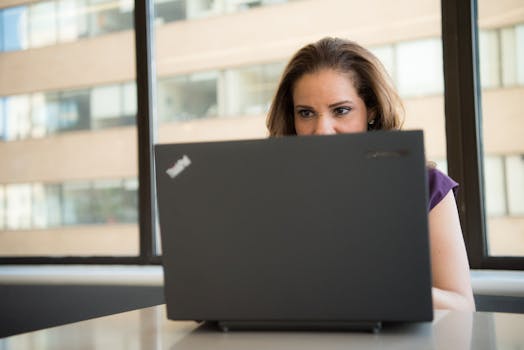 Photo: Christina Morillo / Pexels
The allure of a MacBook Pro is undeniable: powerful performance, sleek design, and a robust operating system. However, the premium price tag often puts it out of reach for many. This is precisely where the refurbished market shines, offering a golden opportunity to own a high-end Apple laptop without breaking the bank. But for the uninitiated, the question of 'where to buy refurbished MacBook Pro' can feel like navigating a complex maze. This comprehensive guide is designed to demystify the process, empowering you with the knowledge to make an informed and confident purchase.
Refurbished doesn't mean 'broken' or 'second-hand' in the traditional sense. Instead, it refers to products that have been returned, repaired if necessary, thoroughly tested, and certified to meet original factory specifications. These could be units with minor cosmetic blemishes, open-box returns, or devices that had a minor component replaced. The key distinction is the rigorous testing and certification process they undergo, often by the original manufacturer or a certified repair center. This process ensures that, functionally, a refurbished MacBook Pro performs just like a new one, but at a significantly reduced cost. The savings can range anywhere from 15% to 30% or even more, depending on the model, age, and cosmetic condition. This makes them an incredibly attractive option for students, creatives on a budget, or professionals seeking powerful hardware without the brand-new price.
Understanding the various sources for refurbished MacBook Pros is the first critical step. You're not limited to just one or two options; the market is diverse, offering different levels of assurance, pricing, and product availability. From Apple's own highly-regarded Certified Refurbished store to reputable third-party vendors and even online marketplaces, each avenue presents its own set of advantages and considerations. We'll delve into each of these categories, providing you with a clear picture of what to expect and what questions to ask before you commit to a purchase. The goal is to equip you with the insights needed to identify a trustworthy seller and a quality product, ensuring your refurbished MacBook Pro experience is nothing short of excellent. Choosing the right source is paramount to your satisfaction and the longevity of your device. Think of it as investing in a smart, sustainable piece of technology that offers incredible value. For more insights on general tech savings, consider exploring
budget tech buying guides.
Top Destinations for Refurbished MacBook Pro Purchases
 Photo: Anna Shvets / Pexels
When deciding where to buy a refurbished MacBook Pro, your choice of vendor is arguably the most crucial factor. Each type of seller offers a distinct purchasing experience, warranty, and pricing structure. Let's explore the leading options in detail:
**1. Apple Certified Refurbished Store:** Without a doubt, this is the gold standard for refurbished Apple products. When you buy directly from Apple's refurbished store, you're getting a device that has undergone the most stringent refurbishment process possible. Every Apple Certified Refurbished product is put through a rigorous multi-point inspection, tested thoroughly, cleaned, and repackaged with all original accessories and documentation. Crucially, they come with a full one-year warranty, identical to that of a brand-new MacBook Pro, and are eligible for AppleCare+. This provides unparalleled peace of mind. The only minor drawback is that the savings might be slightly less compared to third-party sellers, and the selection of models can be limited to recent generations. However, for maximum assurance and quality, Apple's official store is the top recommendation.
**2. Reputable Third-Party Refurbishers (e.g., Back Market, Mac of All Trades, OWC):** These are dedicated companies that specialize in refurbishing and selling used electronics, including a wide array of MacBook Pros. Many of these refurbishers have excellent reputations and offer comprehensive warranties (typically 90 days to one year), as well as robust return policies. They often have a broader selection of older models than Apple, allowing for potentially greater savings. Companies like Back Market act as a marketplace for multiple certified refurbishers, while others like Mac of All Trades or OWC handle the refurbishment in-house. When considering these options, it's vital to research the specific vendor's reputation, read customer reviews, and understand their grading system for cosmetic condition. Look for certifications and clear communication regarding their refurbishment process.
**3. Major Retailers (e.g., Amazon Renewed, Best Buy Refurbished, Walmart Restored):** Large retailers have entered the refurbished market, offering a convenient way to purchase refurbished MacBook Pros. Platforms like Amazon Renewed guarantee products work and look like new, backed by a 90-day guarantee. Best Buy and Walmart also offer their own refurbished programs, often with their own warranties and return policies. The benefit here is the ease of purchase and the established customer service infrastructure of these large companies. However, it's important to note that the actual refurbishment might be done by third-party sellers on their platforms, so always check who the seller is (e.g., 'Sold by [Seller Name] and Fulfilled by Amazon') and their individual ratings.
**4. Online Marketplaces (e.g., eBay, Swappa, Craigslist):** These platforms connect individual sellers with buyers. While you can find excellent deals here, this option carries the highest risk. Prices are often the lowest, but warranties are rare, and the quality assurance is entirely dependent on the individual seller. If you choose this route, prioritize sellers with high ratings and extensive positive feedback. Always use secure payment methods that offer buyer protection, and whenever possible, inspect the device in person before purchasing. Swappa is generally considered safer than eBay or Craigslist for electronics, as it has stricter listing requirements and verification processes. However, due diligence is absolutely paramount here. Understanding the different avenues available for purchasing a refurbished MacBook Pro is the first step towards making a smart and economical decision. Each option caters to different priorities, whether it's maximum savings or maximum peace of mind.
Essential Checks Before and After Your Refurbished Purchase
Even after you've identified a reputable seller, a savvy approach requires a series of crucial checks both before committing to a purchase and once your refurbished MacBook Pro arrives. This due diligence ensures you get the best possible value and avoid common pitfalls associated with the refurbished market. Neglecting these steps can lead to frustration and unexpected costs down the line, so it's vital to be thorough.
**Before You Buy:**
* **Model and Specifications:** Clearly define the MacBook Pro model, year, processor (e.g., M1, M2, Intel i7), RAM, and storage capacity you need. Older models offer greater savings but might not support the latest macOS versions or demanding software. Ensure the listed specifications match your requirements exactly.
* **Warranty and Return Policy:** As mentioned, this is paramount. A minimum 90-day warranty is advisable, with a one-year warranty being ideal. Understand the return window and process thoroughly. Can you return it for any reason? Who pays for return shipping? What's the restocking fee, if any?
* **Refurbishment Process:** Reputable sellers will be transparent about their refurbishment process. Do they replace faulty components? Do they test all ports, the keyboard, trackpad, and screen? What about battery health? A detailed explanation inspires confidence.
* **Cosmetic Grading:** Understand the seller's grading system (e.g., 'Excellent,' 'Good,' 'Fair'). An 'Excellent' grade should mean minimal to no cosmetic imperfections, while a 'Good' or 'Fair' grade will likely have visible scratches or dents. Adjust your expectations and budget accordingly. Don't be afraid to ask for actual photos of the device if they're not provided.
* **Included Accessories:** Confirm what comes with the MacBook Pro. Does it include the original power adapter and charging cable? Are they Apple-certified? Missing or non-OEM accessories can be an additional cost.
* **Seller Reputation:** For third-party sellers or marketplaces, scrutinize reviews and ratings. Look for consistent positive feedback regarding product quality, customer service, and adherence to warranty policies. Avoid sellers with a high number of unresolved complaints.
**After You Receive Your MacBook Pro:**
* **Initial Inspection:** Before you even power it on, visually inspect the device for any cosmetic damage that wasn't disclosed or that exceeds the stated cosmetic grade. Check for dents, deep scratches, screen cracks, or dead pixels.
* **Power On and Basic Functionality:** Turn it on. Does it boot up normally? Check the keyboard, trackpad, and all ports (USB-C, HDMI, SD card reader) with various accessories. Test the webcam and microphone.
* **Battery Health:** This is critical for any refurbished laptop. Go to System Settings > Battery > Battery Health. Look for 'Maximum Capacity.' Ideally, it should be 85% or higher. Anything significantly lower might indicate a battery that will need replacement sooner rather than later, which can be an expensive repair. Some refurbishers guarantee a minimum battery health.
* **Screen Test:** Open a plain white document and then a plain black one to check for dead pixels, discoloration, or uneven backlighting. Watch a video to check for any ghosting or flickering issues.
* **Software and Updates:** Ensure the operating system is up-to-date and perform a factory reset if it hasn't been done to ensure a clean slate. Check for any pre-installed third-party software you don't recognize.
* **Connectivity:** Test Wi-Fi and Bluetooth connections thoroughly. Pair a Bluetooth device and connect to your home network.
* **Stress Test:** Run a few demanding applications or benchmarks (if you have them) for a short period to ensure the processor and fan are working correctly and the device doesn't overheat. This is a crucial step for verifying
laptop performance metrics.
By following these rigorous checks, you significantly increase your chances of a successful and satisfying refurbished MacBook Pro purchase. Remember, a refurbished device offers incredible value, but vigilance is your best friend in this market.
Avoiding Common Pitfalls and Maximizing Your Savings
While the refurbished market offers fantastic value, it's not without its potential pitfalls. Being aware of these common mistakes and adopting smart strategies can significantly enhance your buying experience and ensure you truly maximize your savings without compromising on quality or peace of mind. A little foresight goes a long way in the world of refurbished electronics.
**Common Pitfalls to Avoid:**
* **Ignoring the Warranty:** This is the biggest mistake. A refurbished MacBook Pro without a warranty is a gamble. Always prioritize sellers who offer at least a 90-day warranty, and ideally a year. This protects you against unforeseen issues that might not be apparent during initial testing.
* **Overlooking Return Policies:** Just as important as the warranty, a clear and generous return policy is essential. What if the device doesn't meet your expectations or has an undisclosed flaw? Ensure you have a reasonable window (e.g., 14-30 days) to return the product for a full refund or exchange.
* **Buying from Unvetted Sellers:** On marketplaces like eBay, the temptation of a rock-bottom price can lead you to sellers with little to no feedback or a history of negative reviews. Stick to established, highly-rated sellers with a proven track record.
* **Not Checking Battery Health:** As discussed, battery degradation is natural. Always inquire about or check the battery's maximum capacity. A very low capacity will mean an expensive replacement sooner than you'd like, negating some of your savings.
* **Forgetting to Inspect All Accessories:** While the MacBook Pro itself is the star, don't forget the charger. Ensure it's an authentic Apple charger and in good working condition. Off-brand chargers can be inefficient or even unsafe.
* **Not Understanding Cosmetic Grades:** Misinterpreting 'Grade B' as 'like new' can lead to disappointment. Understand what each grade means for that specific seller and manage your expectations accordingly.
**Tips for Maximizing Your Savings:**
* **Be Flexible with Models:** If you're not tied to the absolute latest model, consider an older generation (e.g., a 2019 or 2020 MacBook Pro instead of a 2022). The savings can be substantial, and the performance difference for most tasks might be negligible.
* **Shop During Sales Events:** Keep an eye out for major sales periods like Black Friday, Cyber Monday, Amazon Prime Day, or even back-to-school sales. Refurbishers often participate, offering even deeper discounts.
* **Consider Minor Cosmetic Flaws:** If you're willing to accept a few scratches or dings on the casing, you can often find 'Grade B' or 'Good' condition MacBook Pros for significantly less. A case can easily cover these imperfections.
* **Subscribe to Email Lists:** Sign up for newsletters from reputable refurbishers. They often announce sales, new inventory, or exclusive discounts to their subscribers first.
* **Set Price Alerts:** Use price tracking websites or apps to monitor the price of specific MacBook Pro models across different refurbished retailers. This can help you snatch up a deal when prices drop.
* **Think About Your Actual Needs:** Do you truly need the absolute top-tier processor and maximum RAM? Often, a slightly lower spec model will perform perfectly for your daily tasks and save you hundreds. Don't overbuy based on perceived needs. By being strategic and diligent, you can secure an amazing deal on a refurbished MacBook Pro that meets all your needs and serves you well for years to come.
