Your Smart Home Devices Compatibility Guide
smart home devices compatibility guide

Your Smart Home Devices Compatibility Guide

Navigate the complex world of smart home tech to create a perfectly integrated and effortlessly functioning connected living space.

Start Building Your Smart Home

Key Takeaways

  • ✓ Compatibility is crucial for a functional smart home, preventing isolated devices.
  • ✓ Major ecosystems (Amazon Alexa, Google Home, Apple HomeKit) dictate device interoperability.
  • ✓ Communication protocols like Wi-Fi, Bluetooth, Zigbee, and Z-Wave are fundamental.
  • ✓ Emerging standards like Matter aim to simplify compatibility across brands and ecosystems.

How It Works

1
Understand Your Ecosystem

Identify your preferred smart home platform (e.g., Alexa, Google Home, HomeKit). This choice will largely determine compatible devices and control methods.

2
Check Device Specifications

Before purchasing, always review product descriptions for explicit compatibility statements. Look for 'Works with Alexa,' 'Google Assistant Built-in,' or 'HomeKit compatible' badges.

3
Consider Communication Protocols

Familiarize yourself with common protocols like Wi-Fi, Bluetooth, Zigbee, and Z-Wave. Ensure your hub or gateway supports the protocols used by your chosen devices.

4
Plan for Future Expansion

Think about your long-term smart home goals. Choosing devices that adhere to open standards or are part of a widely supported ecosystem will offer greater flexibility down the line.

Navigating the Smart Home Ecosystem Landscape
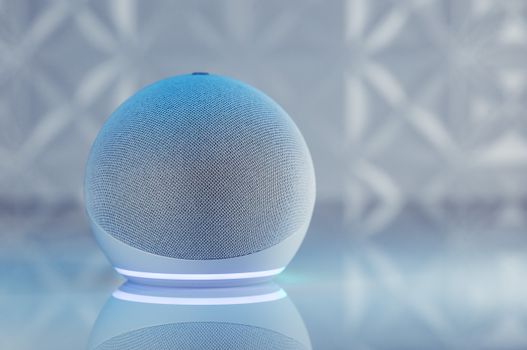
A sleek smart speaker with neon glow on reflective surface, showcasing modern technology. Photo: Jonathan Borba / Pexels
The smart home market, while exciting, can feel like a labyrinth of competing standards and proprietary technologies. Understanding the major smart home ecosystems is the first and most critical step in building a cohesive and functional connected home. In the United States, three giants primarily dominate this landscape: Amazon Alexa, Google Home (and Google Assistant), and Apple HomeKit. Each ecosystem offers a unique approach to smart home control, device integration, and user experience, and your choice will significantly influence the range of compatible devices available to you. Amazon Alexa, powered by the ubiquitous Echo devices, boasts the largest market share and arguably the broadest device compatibility. Its strength lies in its vast third-party integrations, allowing it to control thousands of devices from various manufacturers. Users can interact with Alexa through voice commands, the Alexa app, or routines, automating actions based on time, device status, or other triggers. Google Home, centered around Google Assistant and Nest devices, offers deep integration with Google's services, including calendars, search, and maps. It's known for its powerful natural language processing, making voice commands feel more intuitive. Like Alexa, it supports a wide array of third-party devices, often overlapping with Alexa's compatible list but with some distinct differences. Apple HomeKit, while having a smaller market share, appeals to users deeply embedded in the Apple ecosystem. It prioritizes privacy, security, and a seamless user experience through the Home app on iOS devices. HomeKit-compatible devices undergo a rigorous certification process, ensuring a high level of reliability and security. However, this often means a more limited selection of devices compared to Alexa or Google Home, and devices tend to be at a higher price point. Beyond these major players, you'll also encounter other platforms like Samsung SmartThings, which acts as a versatile hub capable of connecting devices across multiple protocols, and various manufacturer-specific apps. The key is to select an ecosystem that aligns with your existing technology preferences and future smart home aspirations. Once you commit to an ecosystem, it becomes much easier to identify devices that will seamlessly integrate, rather than ending up with a collection of isolated smart gadgets. For more on specific device types, consider exploring our smart lighting guide. Each ecosystem has its strengths and weaknesses, and understanding these will be paramount to a successful smart home setup. Choosing wisely at this initial stage will save you countless hours of troubleshooting and frustration down the line, ensuring your smart home truly feels 'smart' and not just a collection of disconnected electronics. It's not just about what devices you buy, but how well they speak to each other, and the ecosystem acts as the translator.

Understanding Communication Protocols and Standards
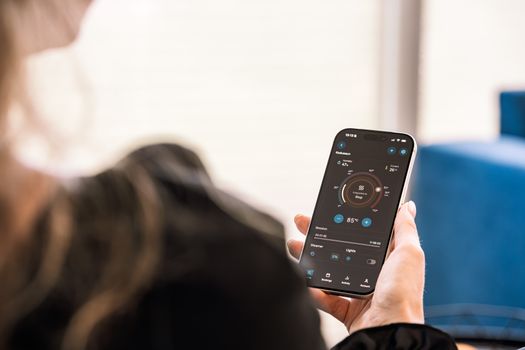
A woman holding a smartphone displaying a sauna control app, highlighting modern sauna technology. Photo: HUUM │sauna heaters / Pexels
Beyond the overarching ecosystems, the true backbone of smart home compatibility lies in the communication protocols devices use to talk to each other. These protocols are the languages your smart devices speak, and for them to work together, they must speak a common language or have a translator (a hub or gateway) in between. The most common protocols you'll encounter are Wi-Fi, Bluetooth, Zigbee, and Z-Wave, each with its own advantages and ideal use cases. Wi-Fi is perhaps the most familiar, as almost every home already has a Wi-Fi router. Many smart devices, especially those requiring high bandwidth like smart cameras or some smart speakers, connect directly to your home Wi-Fi network. This simplicity is a major plus, as it often means no additional hub is required. However, Wi-Fi devices can consume more power, potentially draining battery-operated devices faster, and too many Wi-Fi devices can sometimes congest your network, leading to slower speeds for other internet-connected gadgets. Bluetooth is another common wireless technology, often found in smaller, battery-powered devices like smart locks or temperature sensors. It's excellent for short-range communication and direct device-to-phone connections. However, its limited range and inability to form a mesh network (where devices relay signals to extend range) make it less ideal for whole-home smart automation unless paired with a hub that can extend its reach. Zigbee and Z-Wave are purpose-built for smart home automation. They operate on different radio frequencies (Z-Wave on 908.42 MHz in the US, Zigbee on 2.4 GHz, similar to Wi-Fi but with different channels) and are designed for low-power, low-bandwidth communication over a mesh network. In a mesh network, each device can act as a repeater, extending the signal's range throughout your home. This makes them highly reliable for controlling lights, sensors, and thermostats across larger spaces. The catch is that Zigbee and Z-Wave devices typically require a dedicated hub (like a SmartThings hub or an Amazon Echo with a built-in Zigbee radio) to translate their signals into something your Wi-Fi network and smart home ecosystem can understand. The emerging standard, Matter, aims to revolutionize this complex landscape. Backed by major players like Apple, Google, Amazon, and Samsung, Matter is an open-source, royalty-free connectivity standard built on IP (Internet Protocol) that works over Wi-Fi, Thread, and Ethernet. Its goal is to provide seamless interoperability between devices from different brands and across various ecosystems, effectively creating a universal language for smart home devices. While still in its early stages of widespread adoption, Matter promises to significantly simplify the smart home experience, making compatibility less of a headache for consumers. When purchasing new devices, looking for 'Matter-certified' labels will become increasingly important for future-proofing your smart home. Understanding these protocols is vital for building a robust and responsive smart home network, ensuring that your devices not only connect but communicate efficiently and reliably.

Building a Cohesive Smart Home: Practical Compatibility Checks

A sleek smart speaker with neon glow on reflective surface, showcasing modern technology. Photo: Jonathan Borba / Pexels
Once you understand the ecosystems and communication protocols, the next step is to apply this knowledge to practical compatibility checks before you buy. This proactive approach will save you from the frustration of incompatible devices and ensure a smooth setup process. The first and most straightforward check is to look for explicit 'Works With' badges on product packaging or descriptions. These badges, such as 'Works with Alexa,' 'Google Assistant Built-in,' or 'HomeKit Compatible,' are your primary indicators that a device is designed to integrate with a specific smart home ecosystem. If you've committed to Apple HomeKit, for example, only consider devices with the 'HomeKit Compatible' badge to guarantee full functionality within the Home app and Siri control. However, 'Works With' doesn't always tell the whole story. Some devices might work with an ecosystem but require their own proprietary app for advanced features or initial setup. Always read product reviews and the manufacturer's support pages to understand the full extent of integration. For instance, a smart plug might 'work with Alexa' for basic on/off commands, but its energy monitoring features might only be accessible through the manufacturer's dedicated app. This distinction is crucial for a truly seamless experience. Another critical aspect is checking the required communication protocol. If you're buying a Zigbee light bulb, you'll need a Zigbee-compatible hub or a smart speaker with a built-in Zigbee radio (like some Amazon Echo models). Similarly, Z-Wave devices require a Z-Wave hub. Don't assume that because a device is 'smart,' it will automatically connect to your existing setup without the correct protocol support. If you're building a new smart home, consider starting with a versatile hub like Samsung SmartThings or Hubitat, which often support multiple protocols, giving you greater flexibility in device choice. Finally, consider the manufacturer's reputation for updates and ongoing support. The smart home landscape evolves rapidly, and devices that receive regular firmware updates are more likely to maintain compatibility with evolving ecosystems and benefit from new features or security patches. A quick search for 'manufacturer name + smart home updates' can provide insight into their commitment to long-term compatibility. By diligently performing these practical compatibility checks, you'll move beyond simply buying smart gadgets to building a truly integrated and intelligent home. For a deeper dive into specific smart home categories, check out our best smart thermostats guide.

Common Compatibility Pitfalls and How to Avoid Them

An IT professional operates a computer in a server room, managing network systems and connected devices. Photo: panumas nikhomkhai / Pexels
Even with careful planning, smart home compatibility can present unexpected challenges. Being aware of common pitfalls can help you navigate the complexities and ensure a smoother setup. One frequent issue is the assumption that all devices from the same brand will automatically work together. This isn't always true, especially if a manufacturer has different product lines or has transitioned between communication protocols over time. For example, older Philips Hue bridges might not support newer features or certain third-party Zigbee bulbs without an update or replacement. Always verify model numbers and specific product generations for compatibility. Another pitfall is overlooking network requirements. Many smart devices, particularly Wi-Fi enabled ones, operate only on the 2.4 GHz band of your router. If your router is configured for 5 GHz only, or if you have a mesh Wi-Fi system that automatically steers devices to 5 GHz, you might encounter connection issues. Ensure your router supports 2.4 GHz and that you can access its settings if needed. Overloading your Wi-Fi network with too many devices can also lead to instability and slow response times. * **Proprietary Apps vs. Ecosystem Control:** Some devices claim compatibility with Alexa or Google Home but require their own app for initial setup, advanced features, or even daily use. While not a deal-breaker, it can fragment your smart home experience, forcing you to switch between multiple apps instead of controlling everything from your primary ecosystem app. Read reviews to understand the level of integration. * **Firmware Updates:** Outdated firmware is a common cause of compatibility problems. Manufacturers frequently release updates to improve performance, add features, and enhance compatibility. Always ensure your smart devices and hubs are running the latest firmware. * **Regional Differences:** Smart home devices can have regional variations in their communication frequencies (especially Z-Wave) or app support. Ensure you are purchasing devices designed for use in the US to avoid issues. * **Hub vs. Hub-less:** Understand whether a device requires a dedicated hub (Zigbee, Z-Wave) or can connect directly to your Wi-Fi. Mixing and matching without proper planning can lead to a fragmented system. * **Intermittent Connectivity:** This often stems from poor Wi-Fi coverage, interference from other devices, or an overloaded network. Consider Wi-Fi extenders or a dedicated mesh network for larger homes. By being vigilant about these potential issues, you can proactively address them during your planning and purchasing phases, leading to a much more reliable and enjoyable smart home experience. A little research upfront goes a long way in preventing future headaches and ensuring your smart devices truly work in harmony.

Comparison

FeatureAmazon AlexaGoogle HomeApple HomeKitMatter (Emerging)
Primary ControlEcho devices, Alexa app, VoiceNest devices, Google Home app, VoiceHome app, Siri, iOS devicesAny Matter-certified controller
Device SelectionVast (thousands)Extensive (hundreds/thousands)Curated (fewer, high quality)Growing (universal compatibility)
Ease of SetupGenerally easyGenerally easyVery easy (QR code)Designed for simplicity
Privacy FocusModerateModerateHighHigh (local control focus)
Required HubOften none (Wi-Fi), some Echo devices have ZigbeeOften none (Wi-Fi), some Nest devices have ThreadApple TV/HomePod/iPad for remote accessMatter controller (e.g., smart speaker)
Key ProtocolsWi-Fi, Bluetooth, ZigbeeWi-Fi, Bluetooth, ThreadWi-Fi, Bluetooth, ThreadWi-Fi, Thread, Ethernet
Cost of EntryLow to ModerateLow to ModerateModerate to HighVaries by device

What Readers Say

"This smart home devices compatibility guide saved me from making expensive mistakes! I was about to buy a smart lock that wouldn't have worked with my Google Home, but this article helped me understand the protocols and 'Works With' badges. My smart home is now perfectly in sync."

Sarah J. · Austin, TX

"As a tech enthusiast, I thought I knew it all, but the section on communication protocols was incredibly insightful. It clarified why some of my older devices weren't playing nice and guided me to better choices for future upgrades. Highly recommend for anyone building a connected home."

Mark D. · Seattle, WA

"Before reading this guide, my smart home felt like a collection of random gadgets. Following the advice, I consolidated my devices under one ecosystem and now everything works seamlessly. My routines run perfectly, and I finally feel like I have a truly 'smart' home."

Emily R. · Miami, FL

"The information on Matter was particularly helpful for future-proofing. While the guide is comprehensive, I wish there were a few more specific brand recommendations for each ecosystem, but overall, it's an excellent resource for understanding smart home compatibility."

David L. · Denver, CO

"I was overwhelmed by all the options, but this smart home devices compatibility guide broke it down into understandable steps. The practical compatibility checks section was a game-changer for my purchasing decisions. My smart lights, thermostat, and security camera now all work together flawlessly."

Jessica P. · Chicago, IL

Frequently Asked Questions

What is the most important factor for smart home device compatibility?

The most important factor is aligning your devices with a primary smart home ecosystem (e.g., Amazon Alexa, Google Home, Apple HomeKit) and ensuring they use compatible communication protocols (Wi-Fi, Zigbee, Z-Wave, or Thread). Choosing devices that explicitly state 'Works With' your chosen ecosystem is crucial for seamless integration and control.

Will all my smart devices work together if they're from the same brand?

Not necessarily. While devices from the same brand often have better compatibility, it's not guaranteed. Manufacturers may have different product lines or use varying communication protocols across their offerings. Always check the specific model's compatibility with your chosen ecosystem and other devices, even within the same brand.

How do I check if a smart device is compatible with my existing setup?

First, identify your primary smart home ecosystem (e.g., Alexa). Then, look for explicit 'Works With [Your Ecosystem]' badges on the device's packaging or product page. Also, check the communication protocol (Wi-Fi, Zigbee, Z-Wave) and ensure you have the necessary hub or gateway if required for that protocol.

Is it more expensive to build a compatible smart home?

Not necessarily. While some premium devices might be more expensive, focusing on compatibility often saves money in the long run by preventing purchases of incompatible devices. Choosing a widely supported ecosystem can also give you access to a broader range of affordable, compatible options. The key is smart planning, not just buying the cheapest option.

How does Matter change smart home compatibility?

Matter aims to simplify compatibility by providing a universal, open-source standard that allows devices from different brands and ecosystems to communicate seamlessly over Wi-Fi, Thread, and Ethernet. It promises to reduce complexity, eliminate the need for multiple hubs, and make it easier to build a truly interoperable smart home, regardless of your chosen platform.

Who should use a smart home devices compatibility guide?

Anyone looking to build a new smart home, expand an existing one, or troubleshoot connectivity issues should use this guide. It's particularly helpful for beginners overwhelmed by choices and experienced users looking to optimize their setup or understand emerging standards like Matter.

Are there security risks with incompatible smart home devices?

Incompatible devices themselves don't pose direct security risks, but a fragmented smart home can lead to security vulnerabilities. Devices that aren't properly integrated might not receive timely updates, or relying on multiple proprietary apps could expose you to more potential data breaches. A cohesive, well-managed system generally offers better security.

What is the future trend for smart home device compatibility?

The future trend is undoubtedly towards greater interoperability, primarily driven by the Matter standard. This will lead to a more unified smart home experience, where consumers can mix and match devices from various manufacturers with confidence, reducing the 'walled garden' effect of current ecosystems and simplifying setup and management.

Don't let compatibility issues hold back your smart home dreams. Use this smart home devices compatibility guide to confidently build a connected, intelligent living space that truly works for you. Start planning your seamless smart home today!

Topics: smart home devices compatibility guidesmart home ecosystemdevice interoperabilitysmart home standardsconnected home setup
Leo List
Brampton weed
Adultwork EstrelaBet Vai de Bet R7 Bet Betão Galera Bet Rainbet Bet9ja Shop SportyBet BetKing Sisal Loto Foot Hollywoodbets YesPlay Odibets RushBet Jugabet BetWarrior BetCity MSport betPawa Fortebet