✓ Your home network is a prime target for cybercriminals, even if you think you have nothing to hide.
✓ Default router settings are often insecure and need immediate attention.
✓ A strong, unique password for your Wi-Fi is the first line of defense.
✓ Regular software updates for all connected devices are crucial for patching vulnerabilities.
How It Works
1
Assess Your Current Vulnerabilities
Identify all devices connected to your network and their potential weaknesses. This includes smart devices, computers, and mobile phones that could be entry points.
2
Harden Your Router's Defenses
Change default passwords, update firmware, and configure strong encryption (WPA3/WPA2-AES). Your router is the gateway to your network, so securing it is paramount.
3
Implement Layered Security Measures
Use strong, unique passwords for all accounts, enable two-factor authentication, and install reputable antivirus software. Multiple layers create a more robust defense.
4
Practice Ongoing Vigilance and Education
Stay informed about new threats, regularly review your security settings, and educate family members on safe online practices. Cybersecurity is an ongoing commitment.
Understanding the Threats: Why Your Home Network is a Target
Photo: cottonbro studio / Pexels
In today's interconnected world, your home network is no longer just a way to browse the internet; it's the central nervous system for your entire digital life. From smart thermostats and security cameras to personal computers, smartphones, and even smart refrigerators, nearly every aspect of modern living is tethered to your Wi-Fi. This ubiquitous connectivity, while convenient, also presents a vast attack surface for cybercriminals. Many people mistakenly believe they aren't important enough to be targeted, or that their data isn't valuable. This couldn't be further from the truth. Hackers aren't always looking for high-profile targets; they often cast a wide net, exploiting common vulnerabilities to gain access to personal information, financial data, or even to recruit your devices into a botnet for larger attacks. They might be after your bank account details, credit card numbers, personal photos, sensitive documents, or simply seeking to use your network's bandwidth for illicit activities. Furthermore, compromised smart devices, often referred to as Internet of Things (IoT) devices, can serve as backdoors into your entire network. These devices frequently come with weak default security settings and are rarely updated, making them easy prey for attackers. Once a hacker gains access to one device, they can often pivot to other, more sensitive devices on your network. The threats are diverse and constantly evolving, including malware, phishing attacks, denial-of-service (DoS) attacks, brute-force attacks on weak passwords, and even sophisticated social engineering tactics designed to trick you into revealing sensitive information. Understanding these potential risks is the critical first step in building a robust defense. Without a clear picture of what you're protecting against, any security measures you implement will be less effective. We often assume our internet service provider (ISP) handles all our security, but while they provide the connection, securing your internal network is primarily your responsibility. This proactive approach is essential for safeguarding your privacy, financial well-being, and digital peace of mind. Learning about common cyber threats is crucial for effective protection.
Fortifying Your Router: The Gateway to Your Digital World
Photo: panumas nikhomkhai / Pexels
Your Wi-Fi router is the first and most critical line of defense for your home network. It acts as the gatekeeper, controlling all traffic entering and leaving your house. Unfortunately, many routers are left with their factory-default settings, which are notoriously insecure and widely known to hackers. The very first step you must take is to change the default administrative username and password. These are often generic combinations like 'admin/admin' or 'user/password' and are readily available online for specific router models. Replacing these with a strong, unique, and complex password is non-negotiable. Next, ensure your router's firmware is up to date. Firmware is the operating system of your router, and manufacturers regularly release updates to patch security vulnerabilities and improve performance. Many routers now offer automatic updates, but it's wise to manually check for updates periodically through your router's administration interface. Outdated firmware is a significant security risk that can leave your network exposed to known exploits. Another crucial setting is your Wi-Fi encryption standard. Always use WPA3, if your router and devices support it. If not, WPA2-AES is the next best option. Avoid older, weaker standards like WEP or WPA/WPA-TKIP, as they are easily cracked. Your Wi-Fi password itself should be long, complex, and unique – avoid using personal information or common phrases. Consider setting up a separate guest network. This creates an isolated network for visitors and IoT devices, preventing them from accessing your main network where your more sensitive data resides. This segmentation significantly reduces the risk of a compromised guest device affecting your primary computers or servers. While not always necessary, disabling WPS (Wi-Fi Protected Setup) can also enhance security, as WPS has had known vulnerabilities in the past that allow for brute-force attacks on your Wi-Fi password. Finally, consider changing your router's default SSID (network name) to something that doesn't reveal your router's brand or model, as this information can give hackers clues about potential vulnerabilities. Regularly reviewing your router's settings and keeping it updated is an ongoing commitment that pays dividends in network security.
Layered Defenses: Protecting Every Device and Connection
Photo: Tima Miroshnichenko / Pexels
Securing your router is foundational, but it's only one piece of the cybersecurity puzzle. A truly robust home network defense requires a layered approach, extending protection to every device connected to your network. Begin with strong, unique passwords for every online account and device. Reusing passwords is like using the same key for your front door, car, and safe deposit box – if one is compromised, everything is at risk. Password managers are invaluable tools for generating and storing complex, unique passwords, simplifying this often daunting task. Complement strong passwords with Two-Factor Authentication (2FA) or Multi-Factor Authentication (MFA) wherever possible. This adds an extra layer of security by requiring a second form of verification, such as a code sent to your phone or a biometric scan, in addition to your password. Even if a hacker obtains your password, they won't be able to access your account without that second factor. Install reputable antivirus and anti-malware software on all your computers and mobile devices. Keep these programs updated and run regular scans. These tools are designed to detect and remove malicious software that could compromise your devices and, by extension, your network. Don't forget about firewalls. Your operating system likely has a built-in firewall, and your router also has one. Ensure these are active and configured correctly to block unauthorized access attempts. For particularly sensitive activities, consider using a Virtual Private Network (VPN). A VPN encrypts your internet traffic, creating a secure tunnel between your device and the internet, making it much harder for third parties to intercept your data, especially when using public Wi-Fi or even on your home network for added privacy. Regularly update the operating systems and applications on all your devices – computers, smartphones, tablets, smart TVs, and IoT devices. Software updates often include critical security patches that address newly discovered vulnerabilities. Neglecting these updates leaves open doors for attackers. Be cautious about the devices you connect to your network; ensure they are from trusted manufacturers and that you understand their security implications. Finally, educate yourself and your family members about common cyber threats like phishing, social engineering, and suspicious links. Human error is often the weakest link in any security chain. Understanding different types of malware can help you identify and avoid threats.
Common Mistakes to Avoid and Best Practices for Ongoing Security
Photo: Tima Miroshnichenko / Pexels
Even with the best intentions, individuals often make common mistakes that undermine their home network security. Avoiding these pitfalls is as important as implementing strong defenses. Here are some critical mistakes to avoid and best practices to adopt:
* **Mistake 1: Ignoring Software Updates:** Many users delay or ignore prompts to update their operating systems, applications, and IoT device firmware. This is a critical error, as updates frequently contain patches for newly discovered security vulnerabilities. Always enable automatic updates where possible and manually check for them regularly.
* **Mistake 2: Using Weak or Reused Passwords:** Relying on simple, guessable passwords or using the same password across multiple accounts is an open invitation for hackers. Use a password manager to generate and store long, complex, and unique passwords for every service.
* **Mistake 3: Not Changing Default Router Credentials:** As mentioned, factory-set usernames and passwords for routers are public knowledge. Failing to change these immediately upon setup leaves a gaping hole in your network's security.
* **Mistake 4: Disabling Firewall Protection:** Some users disable firewalls for perceived performance gains or out of misunderstanding. Firewalls are essential for filtering malicious traffic and blocking unauthorized access attempts. Keep both your router's firewall and your device's software firewall active.
* **Mistake 5: Overlooking IoT Device Security:** Smart devices (cameras, doorbells, assistants) are often manufactured with minimal security. Change their default passwords, isolate them on a guest network, and research their security features before purchase. Many IoT devices are the easiest entry point for hackers.
**Best Practices for Ongoing Security:**
* **Regular Security Audits:** Periodically review your router settings, connected devices, and account security. Look for any unfamiliar devices connected to your network or suspicious activity.
* **Backup Your Data:** In the event of a ransomware attack or data breach, having recent backups of your important files is invaluable. Use cloud services or external hard drives for regular backups.
* **Educate Your Family:** Ensure everyone using your network understands basic cybersecurity hygiene, including recognizing phishing attempts and the importance of strong passwords.
* **Be Wary of Public Wi-Fi:** When outside your home, use a VPN when connecting to public Wi-Fi networks, as they are often unsecured and susceptible to eavesdropping.
* **Enable Network Monitoring:** Some routers offer features to monitor network traffic or connected devices. Utilize these to stay aware of who and what is on your network. Consider implementing DNS-based filtering for an extra layer of protection against malicious websites.
Comparison
Feature
Best Option
Alternative 1
Alternative 2
Router Password
Strong, Unique (16+ chars)
Complex (10-15 chars)
Default/Weak (easily guessed)
Wi-Fi Encryption
WPA3
WPA2-AES
WEP/WPA-TKIP
Firmware Updates
Automatic & Regular Manual Checks
Manual Checks (Infrequent)
Never Updated
Guest Network
✓ (Isolated)
✗ (No isolation)
✗ (Not Used)
2FA/MFA
✓ (On all critical accounts)
✓ (On some accounts)
✗ (Never Used)
Antivirus/Anti-malware
Premium, Always On/Updated
Free Version, Infrequent Scans
✗ (None)
What Readers Say
★★★★★
"This guide truly opened my eyes to how vulnerable my network was. Following the steps on how to secure your home network from hackers, especially changing my router's default password and updating firmware, made me feel so much safer. Highly recommend for anyone feeling overwhelmed by cybersecurity!"
Sarah J. · Austin, TX
★★★★★
"As a small business owner, I thought my home network was fine. This article provided actionable steps on how to secure your home network from hackers that were easy to understand and implement. The advice on guest networks was particularly useful for my smart home devices."
Mark P. · Seattle, WA
★★★★★
"After reading this, I implemented 2FA on everything and got a password manager. My online security score went from a 'D' to an 'A+' in just a week! This detailed guide on how to secure your home network from hackers gave me the confidence to take control."
Emily R. · Boston, MA
★★★★★
"While some of the technical terms were new to me, the overall breakdown of how to secure your home network from hackers was incredibly thorough. It did take some time to go through all my devices, but the peace of mind is definitely worth it. A fantastic resource."
David L. · Denver, CO
★★★★★
"My kids are constantly online, and I was always worried. This article on how to secure your home network from hackers gave me practical steps to protect them and all our devices. The tips on educating the family were especially helpful for establishing safe online habits."
Jessica M. · Miami, FL
Frequently Asked Questions
What is the single most important step to secure my home network from hackers?
The single most important step is to change the default administrative username and password of your Wi-Fi router immediately. These default credentials are often publicly known and serve as the easiest entry point for hackers. Choose a strong, unique password that combines letters, numbers, and symbols.
Will securing my home network slow down my internet speed?
Implementing standard security measures like strong encryption (WPA3/WPA2-AES), firewalls, and updated firmware will generally not noticeably slow down your internet speed. Some advanced features, like certain types of deep packet inspection on a router, *could* have a minor impact, but for most home users, the security benefits far outweigh any negligible speed difference.
How often should I update my router's firmware and device software?
You should check for router firmware updates at least once every few months, or enable automatic updates if your router supports it. For operating systems and applications on your devices, enable automatic updates and ensure they are running. Critical security patches are released regularly, and keeping everything updated is crucial for protection.
Is a VPN necessary for securing my home network?
While not strictly 'necessary' for basic home network security, a VPN (Virtual Private Network) adds an excellent layer of privacy and security by encrypting your internet traffic. It's particularly useful for obscuring your online activities from your ISP and for extra protection when using public Wi-Fi, but it can also enhance privacy on your home network.
How do I know if my home network has already been compromised?
Signs of a compromised network can include unusually slow internet speeds, strange pop-ups or redirects, unknown devices appearing on your network, changes to your router's settings you didn't make, or locked accounts. Regularly checking your router's connected device list and running antivirus scans can help detect issues.
Who is responsible for securing my home network, my ISP or me?
While your Internet Service Provider (ISP) is responsible for the security of their network infrastructure up to your modem, securing your internal home network (your router, Wi-Fi, and connected devices) is primarily your responsibility. They provide the connection; you secure your digital household.
Are smart home devices (IoT) a major security risk?
Yes, smart home devices can be significant security risks if not properly secured. Many come with weak default passwords, lack robust encryption, and receive infrequent updates. They can serve as easy entry points for hackers to access your entire network. Always change default passwords, update firmware, and ideally, isolate them on a guest network.
What are future trends in home network security I should be aware of?
Future trends include the increasing reliance on AI and machine learning for threat detection and prevention, the adoption of Wi-Fi 6E/7 with enhanced security features, and the growing importance of network segmentation (micro-segmentation) to isolate devices. Also, the rise of quantum computing poses a long-term threat to current encryption methods, spurring research into quantum-resistant cryptography.
Don't leave your digital life exposed. By understanding the threats and implementing these actionable steps, you can significantly enhance your home network security. Start protecting your data and privacy today by applying what you've learned about how to secure your home network from hackers.

 Photo: cottonbro studio / Pexels
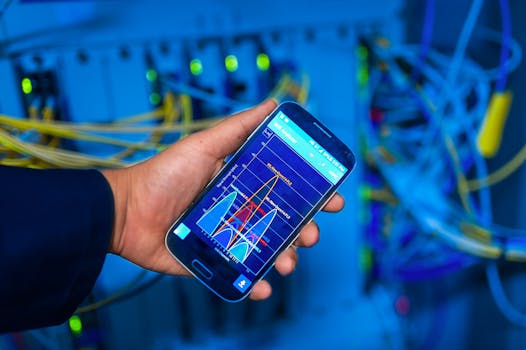 Photo: panumas nikhomkhai / Pexels
 Photo: Tima Miroshnichenko / Pexels
 Photo: Tima Miroshnichenko / Pexels