✓ Your data is constantly being collected, often without explicit consent.
✓ Strong passwords and two-factor authentication are foundational to digital security.
✓ VPNs encrypt your internet traffic, enhancing privacy on public networks.
✓ Regularly reviewing app permissions and privacy settings is crucial.
How It Works
1
Understand Your Digital Footprint
Begin by assessing what personal information is already available about you online. Use tools to check for data breaches and review your social media profiles.
2
Implement Core Security Measures
Establish strong, unique passwords for all accounts and enable two-factor authentication (2FA) wherever possible. This creates a robust first line of defense against unauthorized access.
3
Control Data Sharing & Permissions
Actively manage privacy settings on websites, apps, and operating systems. Limit location tracking, ad personalization, and third-party data sharing to minimize data collection.
4
Utilize Privacy-Enhancing Tools
Incorporate tools like Virtual Private Networks (VPNs), privacy-focused browsers, and ad blockers into your daily routine. These technologies add layers of encryption and anonymity to your online activities.
Understanding the Landscape of Digital Privacy Threats
Photo: Ann H / Pexels
In an increasingly interconnected world, our digital lives are intertwined with nearly every aspect of our existence. From online banking and shopping to social interactions and professional communications, a vast amount of personal data is generated and shared daily. This digital footprint, while convenient, also presents significant challenges to our privacy. Understanding the nature of these threats is the first critical step in learning how to protect your digital privacy online. Data collection is pervasive, often occurring without our explicit knowledge or full comprehension. Companies track our browsing habits, purchase histories, location data, and even our interactions with their services to build detailed profiles. These profiles are then used for targeted advertising, product development, and sometimes, sold to third parties. While some data collection is benign and aims to improve user experience, the sheer volume and potential misuse of this information pose substantial risks.
Beyond commercial data collection, malicious actors pose a constant threat. Phishing scams, malware, ransomware, and identity theft are rampant, targeting individuals and organizations alike. A single data breach can expose sensitive personal information, leading to financial fraud, reputational damage, and emotional distress. It's not just about what you explicitly share; it's about the metadata, the inferred information, and the vulnerabilities in the systems we use. For instance, even seemingly innocuous data like your device's IP address can reveal your approximate location, and your browsing history can paint a detailed picture of your interests, health concerns, and political leanings. The challenge lies in the asymmetry of information – companies and malicious actors often know far more about our data than we do about their practices. Therefore, cultivating a proactive mindset and adopting robust privacy practices are no longer optional but essential. This section lays the groundwork for understanding the 'why' behind digital privacy, setting the stage for the practical strategies we will explore to safeguard your information effectively. For a deeper dive into specific online threats, consider exploring resources on cybersecurity fundamentals.
Fortifying Your Digital Defenses: Essential Tools and Practices
Photo: Brett Sayles / Pexels
Protecting your digital privacy online requires a multi-layered approach, combining smart habits with effective technological tools. The foundation of any robust digital defense strategy begins with strong authentication. Passwords are your first line of defense, and yet, many people still use weak, easily guessable combinations or reuse the same password across multiple accounts. The golden rule is to use unique, complex passwords for every service. A password manager is an invaluable tool for this, allowing you to generate and securely store intricate passwords without needing to remember each one. Couple this with two-factor authentication (2FA) or multi-factor authentication (MFA) wherever available. 2FA adds an extra layer of security, typically requiring a code sent to your phone or generated by an authenticator app, making it significantly harder for unauthorized individuals to access your accounts even if they somehow obtain your password.
Beyond authentication, your browser is a primary gateway to the internet, and its configuration significantly impacts your privacy. Consider switching to privacy-focused browsers like Brave, Firefox (with enhanced tracking protection), or DuckDuckGo, which are designed to block trackers and minimize data collection by default. Complement this with browser extensions like uBlock Origin or Privacy Badger to further block ads and hidden trackers. Virtual Private Networks (VPNs) are another cornerstone of digital privacy, especially when using public Wi-Fi. A VPN encrypts your internet traffic, routing it through a secure server, thereby masking your IP address and making your online activities much harder to intercept or monitor. Choose a reputable VPN provider with a strict no-logs policy to ensure your data isn't being collected by the VPN itself.
Email is another critical vector for privacy invasion. Consider using end-to-end encrypted email services like ProtonMail or Tutanota for sensitive communications. Be wary of phishing attempts and never click on suspicious links or download attachments from unknown senders. Regularly review and adjust the privacy settings on all your social media accounts, apps, and operating systems. Many platforms default to sharing more data than necessary; take the time to restrict access to your location, contacts, photos, and other personal information. Remember, the goal is to minimize your digital footprint and reduce the attack surface for potential privacy breaches. Consistent application of these tools and practices will significantly enhance your ability to protect your digital privacy online and maintain control over your personal data.
Navigating Data Collection and Your Rights
Photo: Stefan Coders / Pexels
Even with robust security measures in place, data collection remains a significant aspect of our online experience. Major tech companies, advertisers, and data brokers constantly gather information about our online behavior, preferences, and demographics. Understanding how this data is collected and, more importantly, what rights you have regarding its use, is crucial for anyone looking to protect their digital privacy online. Many services operate under the 'free' model, where the cost is paid not with money, but with your data. This data is then used to personalize ads, improve services, and sometimes, sold to third parties for various purposes. While regulations like GDPR in Europe and CCPA in California have granted users more control over their data, the landscape across the United States is still fragmented.
It’s imperative to actively engage with the privacy policies of the services you use. While often lengthy and filled with legal jargon, these documents outline how your data is collected, used, and shared. Look for summaries or use browser extensions that help analyze privacy policies. More practically, regularly review and adjust the privacy settings within applications and on websites. For example, on social media, you can often limit who sees your posts, restrict third-party app access, and turn off location tracking. On your smartphone, routinely check app permissions and revoke access for any app that doesn't genuinely need it to function. Does a flashlight app really need access to your microphone or contacts? Probably not.
Another powerful action is to exercise your data rights. Under laws like CCPA, you have the right to know what data companies have collected about you, to request its deletion, and to opt-out of its sale. Many companies now provide dashboards or portals where you can manage these preferences. Make it a habit to periodically review and clean up your online presence. Delete old accounts you no longer use, as these can be vulnerabilities. Be mindful of what you post publicly – once something is online, it can be extremely difficult to remove entirely. Educating yourself about these practices and actively managing your data footprint empowers you to regain a significant degree of control over your digital identity. For more information on data regulations, explore resources on data governance and compliance.
Advanced Strategies and Common Privacy Mistakes to Avoid
Photo: Stefan Coders / Pexels
Beyond the foundational steps, several advanced strategies can further bolster your efforts to protect your digital privacy online, while recognizing and avoiding common pitfalls is equally important. Consider using a privacy-focused search engine like DuckDuckGo, which doesn't track your searches or IP address, providing unadulterated search results free from personalized biases. For those requiring extreme anonymity, exploring the Tor browser, which routes your internet traffic through a global network of relays, can offer enhanced protection against surveillance, though it comes with performance trade-offs. Also, be mindful of metadata in files you share; documents and images can contain hidden information about their origin, creation date, and even location.
Common privacy mistakes often stem from convenience or a lack of awareness:
* **Reusing Passwords:** This is perhaps the most significant vulnerability. If one account is compromised, all others using the same password are at risk.
* **Ignoring Software Updates:** Updates often include critical security patches that fix vulnerabilities. Delaying updates leaves you exposed.
* **Over-sharing on Social Media:** Publicly posting personal details like birthdates, pet names, or vacation plans can be used by malicious actors for identity theft or social engineering attacks.
* **Clicking Suspicious Links:** Phishing attempts are sophisticated. Always verify the sender and the legitimacy of links before clicking.
* **Using Public Wi-Fi Without a VPN:** Unsecured public networks are hotspots for data interception. A VPN is essential for encrypting your traffic.
* **Not Reviewing App Permissions:** Many apps request excessive permissions. Granting access to your camera, microphone, or contacts without a clear need compromises your privacy.
* **Neglecting Old Accounts:** Dormant accounts on various services can be forgotten vulnerabilities. Close accounts you no longer use.
* **Assuming Incognito Mode Equals Anonymity:** Incognito or private browsing modes prevent your browser from saving history and cookies locally, but they do not hide your IP address or prevent websites from tracking you.
By adopting these advanced strategies and diligently avoiding these common mistakes, you significantly elevate your digital privacy posture, transforming from a passive user into an active guardian of your personal information.
Comparison
Feature
Best Option
Alternative 1
Alternative 2
Password Management
LastPass/1Password
Bitwarden
Keeper Security
VPN Service
NordVPN/ExpressVPN
ProtonVPN
Surfshark
Privacy Browser
Brave/Firefox Focus
DuckDuckGo Browser
Tor Browser
Encrypted Email
ProtonMail
Tutanota
Mailfence
Ad/Tracker Blocker
uBlock Origin
Privacy Badger
Ghostery
2FA Method
Authenticator App (Authy)
Hardware Key (YubiKey)
SMS (less secure)
What Readers Say
★★★★★
"This guide has completely changed how I approach my online presence. I feel so much more secure now that I understand how to protect my digital privacy online and have implemented these tips."
Sarah J. · Austin, TX
★★★★★
"As a small business owner, data security is paramount. This article provided actionable steps that I could immediately apply to my personal and professional accounts, making a real difference."
Mark D. · Seattle, WA
★★★★★
"I used to be overwhelmed by privacy settings, but this guide broke it down perfectly. I now use a password manager, VPN, and have cleaned up all my social media. My digital footprint feels much smaller!"
Emily R. · Chicago, IL
★★★★★
"While some parts were a bit technical, the core advice on how to protect your digital privacy online was incredibly helpful. I wish there were more visual aids for setting up some of the tools, but overall, a very solid resource."
David L. · Miami, FL
★★★★★
"I thought I was tech-savvy, but this guide revealed so many gaps in my digital privacy strategy. Implementing 2FA everywhere and finally getting a good VPN has given me immense peace of mind."
Jessica M. · Denver, CO
Frequently Asked Questions
What is the single most effective thing I can do to protect my digital privacy online?
The single most effective action is to use strong, unique passwords for every online account and enable two-factor authentication (2FA) wherever possible. This creates a robust barrier against unauthorized access, even if your credentials are exposed in a data breach.
Is it really necessary to use a VPN all the time?
While not strictly necessary 'all the time,' using a VPN is highly recommended whenever you're on public Wi-Fi or accessing sensitive information. It encrypts your internet traffic, preventing others from snooping on your activities and protecting your data from potential interception.
How do I check if my personal data has been part of a data breach?
You can check if your data has been compromised in a breach by visiting reputable websites like 'Have I Been Pwned?' (haveibeenpwned.com). Simply enter your email address, and it will inform you if it has appeared in known data breaches, allowing you to take immediate action.
Are privacy-focused browsers like Brave or DuckDuckGo truly more private than Chrome or Safari?
Yes, privacy-focused browsers like Brave or DuckDuckGo are generally more private than mainstream options like Chrome or Safari. They are built with privacy features like integrated ad and tracker blockers, and they often don't collect your browsing data, unlike browsers from companies whose business model relies on advertising.
What's the difference between Incognito mode and using a VPN for privacy?
Incognito or Private Browsing mode primarily prevents your local browser from storing your history, cookies, and site data. It does not hide your IP address or encrypt your traffic from your internet service provider or the websites you visit. A VPN, conversely, encrypts your entire internet connection and masks your IP address, offering a much higher level of online privacy and security.
Who should be concerned about protecting their digital privacy online?
Everyone with an internet connection should be concerned about protecting their digital privacy online. From individuals sharing personal photos to professionals handling sensitive data, anyone who uses digital services is susceptible to data breaches, identity theft, and unwanted tracking. It's a universal concern in the modern digital age.
Is there a risk that privacy tools themselves might collect my data?
Yes, there is a potential risk. It's crucial to choose reputable privacy tools, especially VPNs and password managers, from companies with strong privacy policies and a proven track record of not logging user data. Always research and read reviews before committing to a service.
What future trends might impact my digital privacy?
Future trends like the increasing use of artificial intelligence for data analysis, the expansion of the Internet of Things (IoT) with connected devices, and advancements in biometric identification could significantly impact digital privacy. Vigilance and adaptability in privacy practices will become even more critical.
Taking control of your digital privacy online is an ongoing journey, not a one-time task. By implementing the strategies and tools outlined in this master guide, you empower yourself to navigate the digital world with greater security and peace of mind. Start protecting your digital life today and reclaim your privacy.

 Photo: Ann H / Pexels
 Photo: Brett Sayles / Pexels
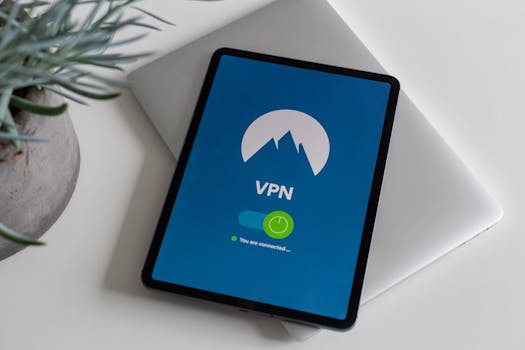 Photo: Stefan Coders / Pexels