How to Choose a Gaming Laptop: Your Ultimate Guide

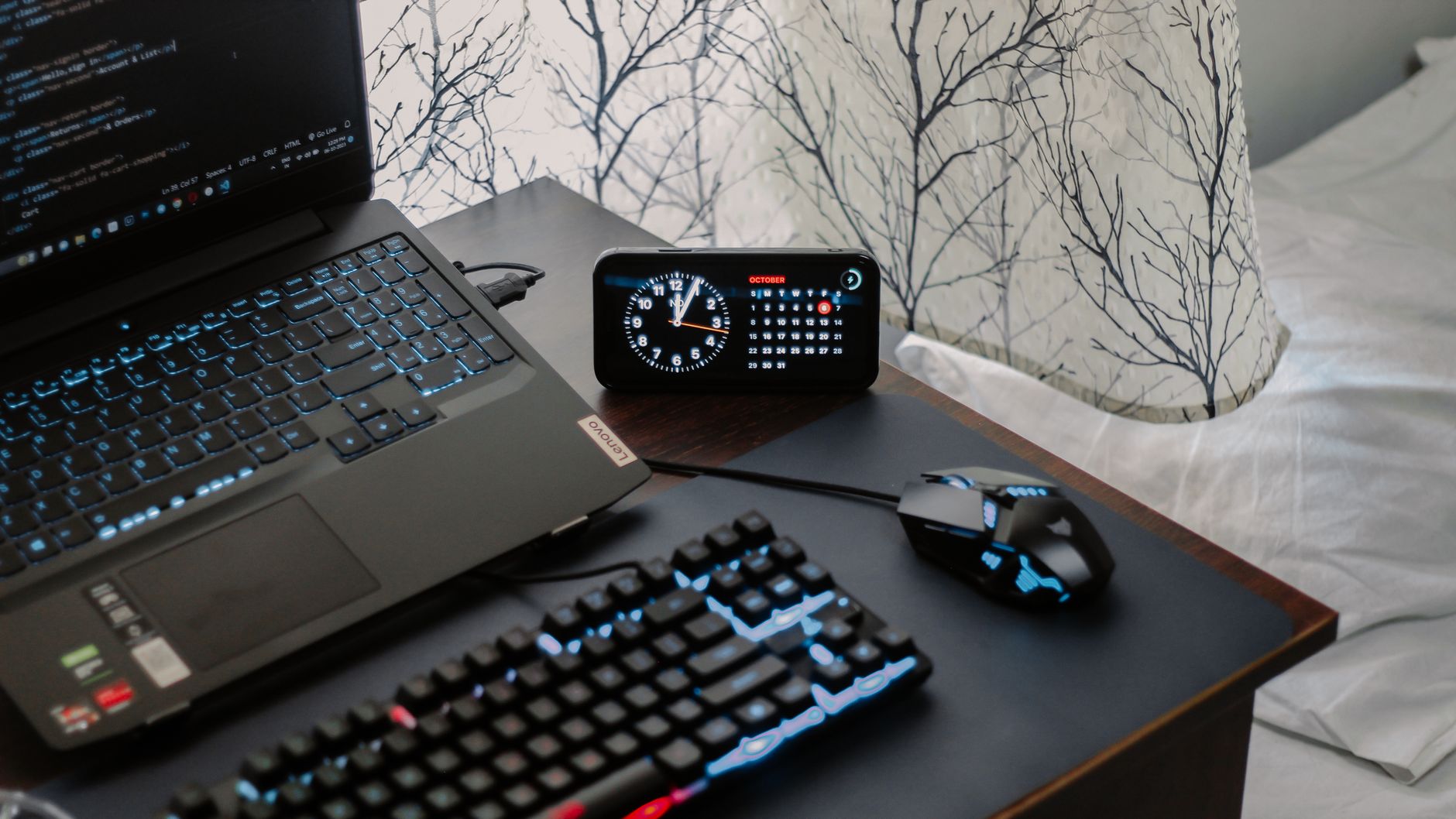
A modern workspace featuring a laptop, digital clock, gaming mouse, and keyboard, ideal for work and tech enthusiasts.Photo: Arjunn. la / Pexels

How to Choose a Gaming Laptop: Your Ultimate Guide

Unlock peak gaming performance and portability by understanding the essential factors for selecting your ideal gaming laptop.

Start Your Gaming Journey

Key Takeaways

  • ✓ GPU is the most critical component for gaming performance.
  • ✓ CPU, RAM, and storage also significantly impact overall experience.
  • ✓ Screen size and refresh rate are crucial for immersive gameplay.
  • ✓ Cooling system quality determines sustained performance and laptop longevity.

How It Works

1
Define Your Budget & Game Library

Determine how much you're willing to spend, as this will narrow down your options considerably. List the games you plan to play to understand their system requirements.

2
Prioritize Key Components (GPU First)

Focus on the Graphics Processing Unit (GPU) as it's the heart of gaming performance. Then consider the CPU, RAM, and storage to ensure a balanced system.

3
Evaluate Display and Peripherals

Choose a screen size, resolution, and refresh rate that aligns with your gaming preferences. Don't forget keyboard quality, trackpad, and port selection for a complete experience.

4
Consider Portability, Cooling & Battery

Decide on the balance between power and portability that suits your lifestyle. Research cooling solutions and expected battery life, as these impact long-term usability.

Understanding Core Components: GPU, CPU, and RAM
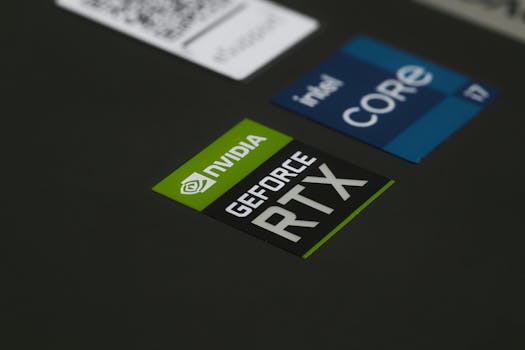
Close-up of NVIDIA GeForce RTX and Intel Core i7 stickers on a laptop surface, showcasing modern technology.Photo: Ruben Boekeloo / Pexels
When you're trying to figure out how to choose a gaming laptop, the internal hardware is where the real magic happens. The triumvirate of the Graphics Processing Unit (GPU), Central Processing Unit (CPU), and Random Access Memory (RAM) dictates almost everything about your gaming experience. Let's break down each component's role and what to look for. The GPU, often referred to as the graphics card, is arguably the single most important component for gaming. It's responsible for rendering all the visuals you see on screen, from complex 3D environments to intricate character models. For serious gamers, NVIDIA's GeForce RTX series (e.g., RTX 3050, 3060, 3070, 3080, 4050, 4060, 4070, 4080, 4090) and AMD's Radeon RX series (e.g., RX 6600M, 6700M, 6800M, 7600S, 7700S, 7800S) are the dominant players. A higher-tier GPU means smoother frame rates, better graphical fidelity, and the ability to run more demanding games at higher resolutions. Always aim for the best GPU your budget allows. Next up is the CPU, the 'brain' of your laptop. While the GPU handles graphics, the CPU manages game logic, AI, physics, and background processes. Intel's Core i7 and i9 processors, and AMD's Ryzen 7 and Ryzen 9 series, are common in gaming laptops. For most modern games, an Intel Core i5 or Ryzen 5 is a solid entry point, but an i7 or Ryzen 7 will provide better performance, especially for multitasking, streaming, or CPU-intensive games. Avoid older generation processors unless you're on a very tight budget. Finally, RAM plays a crucial role in multitasking and loading game assets quickly. For gaming, 16GB of DDR4 or DDR5 RAM is the sweet spot. While 8GB might suffice for some older or less demanding titles, 16GB ensures smooth performance across the board and allows you to run other applications without performance dips. More than 16GB (e.g., 32GB) is generally overkill for pure gaming but can be beneficial for content creation or heavy multitasking. Ensure the RAM is clocked at a decent speed (e.g., 3200MHz or higher for DDR4, 4800MHz or higher for DDR5). Understanding these core components is foundational to making an informed decision about your next gaming powerhouse. Explore more about laptop specifications here.

Display, Storage, and Cooling: Enhancing Your Gaming Experience
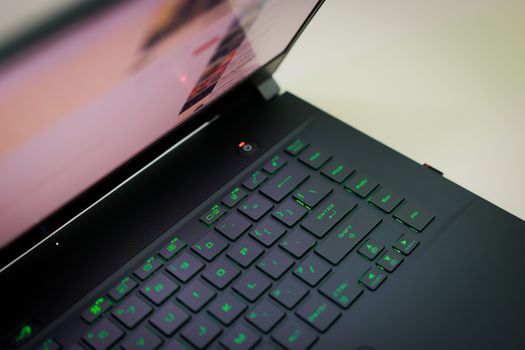
A sleek laptop with a glowing green keyboard illuminated, showcasing modern technology.Photo: Foysal Ahmed / Pexels
Beyond the core processing power, several other features significantly impact your gaming enjoyment and the longevity of your laptop. The display is your window into the game world, and its specifications are vital. Look for a screen with a high refresh rate (e.g., 120Hz, 144Hz, 240Hz, or even 360Hz). A higher refresh rate translates to smoother motion and a more responsive feel, especially in fast-paced games. Full HD (1920x1080) resolution is standard and excellent for most gaming laptops, offering a good balance between visual quality and performance. While 1440p (QHD) and 4K displays offer sharper images, they demand much more from your GPU, often leading to lower frame rates unless you have a top-tier graphics card. Also, consider panel type; IPS panels offer better color accuracy and viewing angles, which are generally preferred for gaming. Storage is another critical factor. Modern games are massive, easily taking up 50GB or more. A Solid State Drive (SSD) is non-negotiable for a gaming laptop. SSDs offer significantly faster loading times for games and the operating system compared to traditional Hard Disk Drives (HDDs). Aim for at least a 512GB NVMe SSD, with 1TB being highly recommended if your budget allows. Some laptops offer dual storage solutions (e.g., a smaller SSD for the OS and a larger HDD for games), but a pure SSD setup is always superior for performance. Finally, cooling is often overlooked but paramount for gaming laptops. Powerful components generate a lot of heat, and if not dissipated effectively, this can lead to thermal throttling – where your laptop automatically reduces performance to prevent overheating. This means lower frame rates and a less enjoyable experience. Look for laptops with robust cooling systems, often featuring multiple fans, heat pipes, and strategically placed vents. Reading reviews about a laptop's thermal performance under load is crucial. A well-cooled laptop will not only perform better consistently but also likely last longer. These elements, combined with powerful internals, create a truly immersive and reliable gaming machine.

See also: rental car.

Portability, Keyboard, and Connectivity: The User Experience

Close-up of a laptop keyboard glowing with vibrant purple neon lights, creating a futuristic tech vibe.Photo: Bibek ghosh / Pexels
When evaluating how to choose a gaming laptop, don't forget the aspects that define the overall user experience: portability, keyboard quality, and connectivity options. A gaming laptop is designed to be portable, allowing you to game on the go, but there's a spectrum of portability. Thinner and lighter models are easier to carry but often compromise on cooling or raw power. Larger, heavier laptops typically offer superior cooling, more powerful components, and sometimes better battery life, but they're less convenient to transport. Consider your primary use case: will it be a desktop replacement, or will you frequently travel with it? This will help you balance power with weight and form factor. The keyboard is your primary interface with games, so its quality is paramount. Look for a keyboard with good key travel, tactile feedback, and anti-ghosting technology to register multiple simultaneous key presses accurately. RGB backlighting is a common feature, not just for aesthetics but also for visibility in low-light conditions. Some high-end gaming laptops even feature mechanical or optical-mechanical switches for a more premium typing and gaming feel. The trackpad, while less critical for gaming (most gamers use an external mouse), should still be responsive and accurate for general use. Learn more about gaming peripherals. Connectivity is also essential for a versatile gaming setup. Ensure the laptop has a good selection of ports: multiple USB-A ports for peripherals, at least one USB-C port (preferably Thunderbolt for future-proofing and faster data transfer), an HDMI or DisplayPort for external monitors, and an Ethernet port for stable wired internet. Wi-Fi 6 (or Wi-Fi 6E) is a must for fast wireless connectivity, and Bluetooth 5.0 or higher is important for wireless headsets and controllers. Good speakers are a bonus, but most serious gamers will opt for a gaming headset for superior audio. These user-centric features ensure that your powerful gaming machine is also a joy to use in everyday scenarios.

Avoiding Common Pitfalls and Maximizing Value
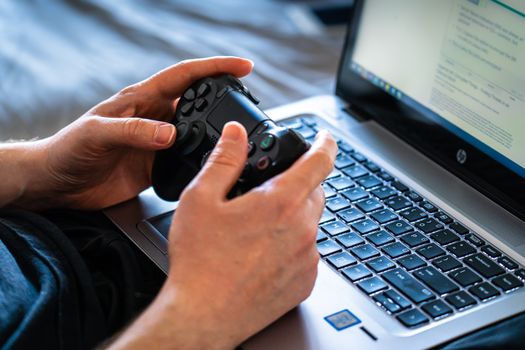
Person holds a gaming controller while interacting with a laptop, emphasizing modern gaming technology.Photo: Castorly Stock / Pexels
Navigating the world of gaming laptops can be tricky, but by being aware of common mistakes and focusing on value, you can make a smarter purchase. Here are some tips to help you: * **Don't Overspend on Unnecessary Features**: While tempting to go for the absolute best, assess if you truly need a 4K screen or 32GB of RAM if your budget is tight. Often, a high-refresh-rate 1080p screen and 16GB RAM offer a better performance-to-cost ratio. Prioritize the GPU first, then CPU, then RAM, and finally storage and display features. * **Neglecting Cooling**: This is a major pitfall. A powerful laptop with poor cooling will underperform. Always check reviews for thermal performance under load. Laptops with robust cooling systems might be slightly thicker or heavier, but the sustained performance is worth it. * **Ignoring Future-Proofing**: While no tech is truly future-proof, consider upgradeability where possible. Some laptops allow you to upgrade RAM and storage, extending their lifespan. Also, investing in a slightly better GPU than your immediate needs might save you from an early upgrade cycle. * **Forgetting Battery Life**: Gaming laptops are not known for stellar battery life, but some are significantly worse than others. If you plan to use it unplugged for anything beyond light tasks, check battery benchmarks. Gaming on battery will almost always result in significantly reduced performance. * **Not Researching Brands**: Different brands have different reputations for build quality, customer support, and specific features. Read user reviews and professional critiques for brands like ASUS ROG, MSI, Acer Predator, Razer, Alienware, and Lenovo Legion to understand their strengths and weaknesses. * **Skipping the Warranty**: Gaming laptops are complex machines. Ensure you understand the warranty terms and consider extended warranty options if available, especially for higher-priced models. A good warranty can save you significant repair costs. By keeping these points in mind, you can avoid common buyer's remorse and ensure you're getting the best possible gaming laptop for your investment.

Comparison

FeatureHigh-End Gaming (e.g., RTX 4080/4090)Mid-Range Gaming (e.g., RTX 4060/4070)Entry-Level Gaming (e.g., RTX 3050/4050)
GPUNVIDIA RTX 4080/4090 or AMD RX 7800S+NVIDIA RTX 4060/4070 or AMD RX 7600S/7700SNVIDIA RTX 3050/4050 or AMD RX 6600M
CPUIntel Core i9 or AMD Ryzen 9Intel Core i7 or AMD Ryzen 7Intel Core i5 or AMD Ryzen 5
RAM32GB DDR516GB DDR4/DDR58GB-16GB DDR4
Storage1TB NVMe SSD (or more)512GB-1TB NVMe SSD512GB NVMe SSD
Display Refresh Rate240Hz-360Hz+120Hz-165Hz60Hz-120Hz
Display ResolutionQHD (1440p) or 4KFHD (1080p) or QHDFHD (1080p)
Cooling SystemAdvanced, multi-fan, vapor chamberRobust, multiple heat pipesStandard, adequate for components
Price Range (USD)$2000+$1200 - $2000$800 - $1200

What Our Readers Say

5 ★★★★★

"This guide was a lifesaver! I was so overwhelmed by all the options, but understanding how to choose a gaming laptop by prioritizing the GPU first made so much sense. I ended up with an RTX 4060 laptop that perfectly fits my budget and plays all my favorite games flawlessly."

5 ★★★★★

"I used this article to help my son pick out his first gaming laptop. The section on display refresh rates was particularly helpful. He's thrilled with his 144Hz screen, and I feel confident we made an informed decision thanks to the clear breakdown."

5 ★★★★★

"As a casual gamer, I didn't want to overspend. This guide taught me how to choose a gaming laptop that balances performance and cost. I focused on an RTX 3050 and 16GB RAM, and it's been fantastic for my needs, delivering smooth frame rates in every game I play."

4 ★★★★☆

"The advice on cooling systems was invaluable. I nearly bought a sleek, thin laptop, but after reading about thermal throttling, I opted for a slightly bulkier model with better cooling. My games run consistently, and I appreciate the long-term perspective this guide offered on how to choose a gaming laptop."

5 ★★★★★

"I'm a content creator who also games, so balancing CPU and GPU was key. This article helped me understand the interplay between components, allowing me to pick a gaming laptop that excels in both gaming and video editing. Excellent resource!"

Frequently Asked Questions

What is the single most important component when choosing a gaming laptop?
The Graphics Processing Unit (GPU) is hands down the most critical component for gaming performance. It dictates the visual quality and frame rates you'll experience in games. Always prioritize getting the best GPU your budget allows, as it has the biggest impact on your gaming experience.
Is 8GB of RAM enough for a gaming laptop in 2024?
While 8GB of RAM might be sufficient for older or less demanding games, 16GB is the recommended minimum for modern gaming. It ensures smoother performance, better multitasking capabilities, and helps prevent stuttering in newer titles. Upgrading to 16GB if possible is highly advisable.
How do I know if a gaming laptop's cooling system is good?
The best way to assess a laptop's cooling system is by reading professional reviews that include thermal benchmarks. Look for tests that measure CPU and GPU temperatures under sustained gaming loads. Reviews often highlight if a laptop experiences significant thermal throttling, which indicates poor cooling.
How much should I expect to spend on a good gaming laptop?
The price for a good gaming laptop can vary significantly. Entry-level models start around $800-$1200, offering decent 1080p gaming. Mid-range options, often in the $1200-$2000 range, provide excellent performance for most titles. High-end machines with top-tier GPUs can easily exceed $2000, catering to enthusiasts seeking maximum performance.
Should I choose a 1080p, 1440p, or 4K screen for my gaming laptop?
For most gamers, a 1080p (Full HD) screen with a high refresh rate (120Hz+) offers the best balance of performance and visual quality on a laptop. 1440p (QHD) provides sharper images but requires a more powerful GPU. 4K screens are very demanding and generally only recommended for the most powerful and expensive gaming laptops if you prioritize resolution over frame rates.
Who should consider buying a gaming laptop instead of a desktop PC?
A gaming laptop is ideal for individuals who need portability and flexibility, such as students, frequent travelers, or those with limited space. It's perfect for gamers who want to enjoy their favorite titles on the go or prefer an all-in-one solution without the need for external peripherals (beyond a mouse).
Are gaming laptops prone to overheating?
Gaming laptops, due to their powerful components packed into a compact chassis, can be prone to overheating if their cooling systems are inadequate. This can lead to performance throttling and potentially shorten the lifespan of components. It's crucial to research a laptop's thermal management before purchase.
What are the future trends in gaming laptop technology?
Future trends in gaming laptops include continued advancements in GPU and CPU efficiency, leading to more powerful performance in thinner chassis. We can expect further adoption of AI-driven upscaling technologies, higher refresh rates, brighter mini-LED and OLED displays, and potentially more integration of haptic feedback and advanced cooling solutions.

Armed with this comprehensive guide, you now have the knowledge on how to choose a gaming laptop that perfectly matches your gaming aspirations and budget. Don't let the complexity deter you; focus on the key components and features that truly matter for an unparalleled gaming experience. Make your informed decision and dive into the world of portable gaming today!

Topics: how to choose a gaming laptopgaming laptop buying guidebest gaming laptopsgaming laptop specsbudget gaming laptop
Leo List