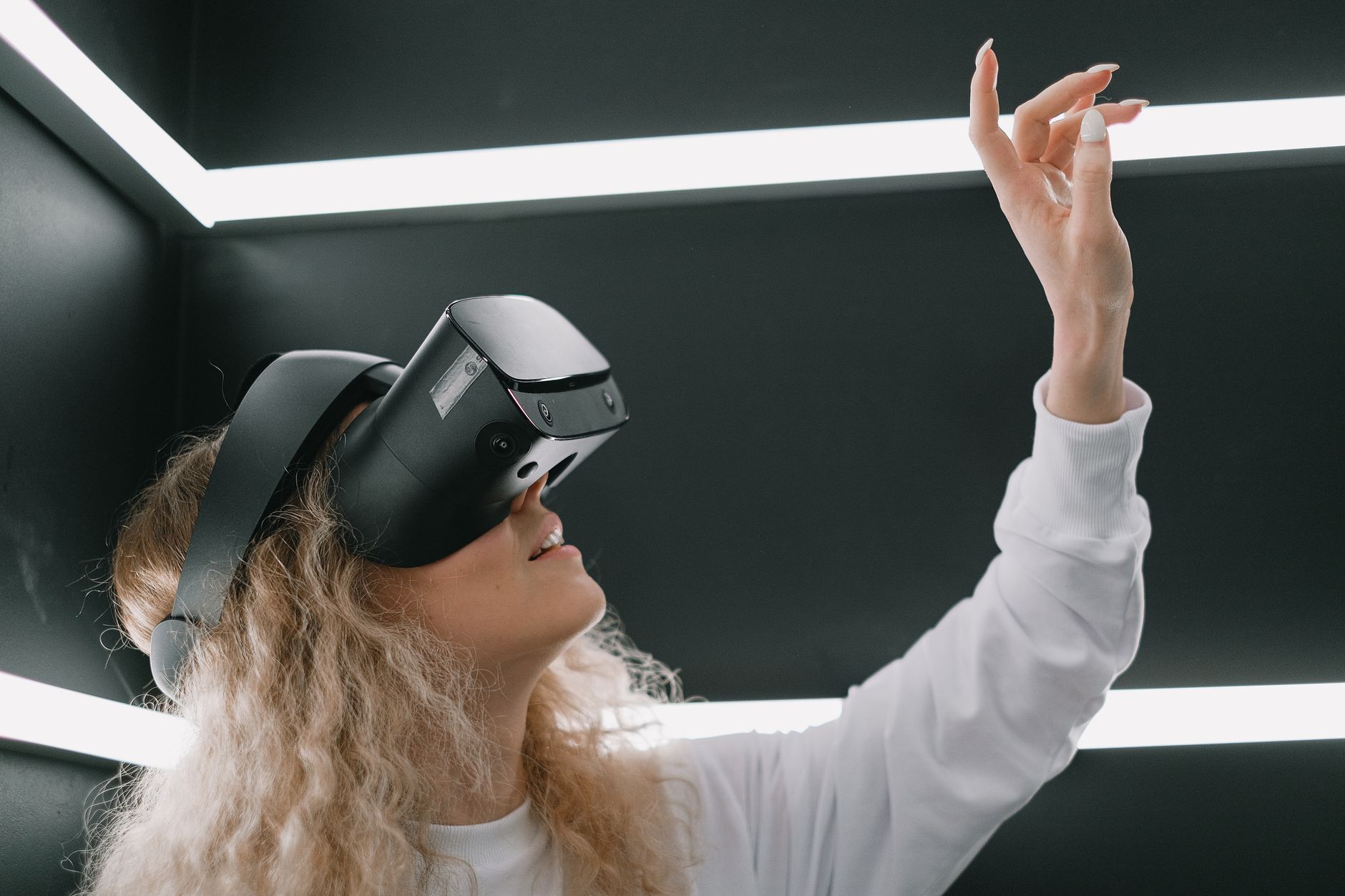
Demystifying VR: How Does Virtual Reality Work?
how does virtual reality work

Demystifying VR: How Does Virtual Reality Work?

Dive deep into the intricate mechanisms that create breathtaking virtual worlds and redefine human-computer interaction.

Explore the VR Revolution

Key Takeaways

  • ✓ VR creates immersive 3D environments through specialized headsets.
  • ✓ Head-mounted displays, motion tracking, and haptic feedback are core components.
  • ✓ Low latency is crucial to prevent motion sickness and maintain immersion.
  • ✓ VR applications span gaming, education, healthcare, and professional training.

How It Works

1
Sensory Deception

VR headsets trick your brain into believing it's in a different environment. This is achieved by presenting distinct, slightly offset images to each eye, simulating depth perception.

2
Head and Motion Tracking

Sensors within the headset and external cameras continuously track your head movements. This allows the virtual world to respond in real-time, making you feel present and in control.

3
Visual and Audio Immersion

High-resolution screens and wide fields of view fill your sight, while 3D audio simulates sounds coming from specific directions. These elements combine to create a convincing sensory experience.

4
Interactive Feedback

Handheld controllers, and sometimes haptic suits, allow you to interact with the virtual environment. Haptic feedback provides tactile sensations, further enhancing the sense of presence and realism.

The Core Components of Virtual Reality Technology
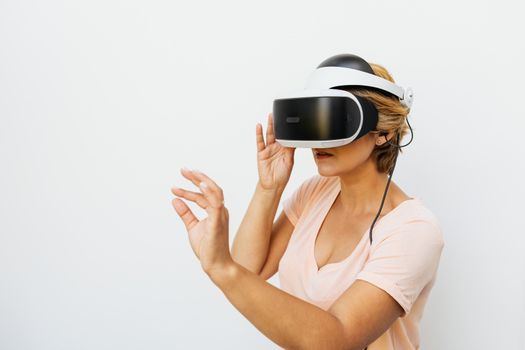
Woman using a VR headset immersed in a virtual reality world, with a white background. Photo: https://kaboompics.com/ / Pexels
Understanding how does virtual reality work begins with dissecting its fundamental components. At its heart, VR technology relies on a sophisticated interplay of hardware and software designed to trick your senses into believing you are in a different place. The most recognizable component is the head-mounted display (HMD), which serves as your window into the virtual world. These HMDs are far more complex than simple screens strapped to your face. They house high-resolution displays, often one for each eye, strategically placed to offer a wide field of view and eliminate peripheral distractions from the real world. The slight offset between the images presented to each eye is critical; it creates a stereoscopic effect, mimicking how our natural vision perceives depth. Without this, the virtual world would appear flat and unconvincing. Beyond the visuals, advanced optics, such as Fresnel lenses, are used to magnify the display and correct for distortions, ensuring a clear and expansive view. But vision is only one part of the equation. To truly immerse you, VR systems must also account for your movement. This is where sophisticated tracking systems come into play. These systems, utilizing a combination of accelerometers, gyroscopes, magnetometers, and often external cameras or infrared sensors, meticulously monitor the position and orientation of your head and, in many cases, your hands. This data is then fed back to the computer, which renders the virtual environment dynamically, ensuring that as you turn your head, the virtual world moves with you, maintaining the illusion of presence. The speed and accuracy of this tracking are paramount; any noticeable delay, known as latency, can break immersion and even cause motion sickness. Therefore, VR systems are engineered for extremely low latency, often measured in milliseconds, to provide a seamless and comfortable experience. This intricate dance between displaying visuals and tracking movement forms the backbone of any effective VR system, paving the way for truly interactive and believable digital experiences. Explore the future of immersive tech to see how these components are evolving.

The Science of Immersion: How VR Tricks Your Brain
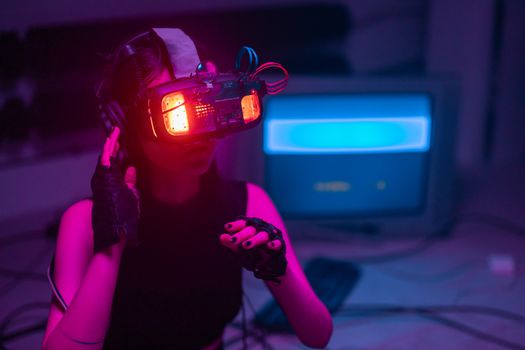
A woman immerses in virtual reality with neon-lit goggles and gloves in a tech-savvy environment. Photo: cottonbro studio / Pexels
The true genius of how does virtual reality work lies in its ability to effectively trick your brain into suspending disbelief and accepting a synthetic environment as real. This isn't just about displaying pretty pictures; it's a deep dive into the psychology of perception. Our brains constantly process sensory input to construct our understanding of reality. VR exploits this by meticulously controlling the sensory information we receive. The visual system is the primary target. By presenting two slightly different images to each eye, VR simulates the parallax effect that allows us to perceive depth and distance in the real world. The brain fuses these two images into a single, three-dimensional scene, creating a profound sense of space and volume. However, vision alone is not enough. Auditory cues play an equally vital role. Advanced VR systems employ spatial audio, also known as 3D audio, which can simulate sounds originating from specific locations within the virtual environment. If a virtual monster roars from your left, you hear it distinctly from your left, enhancing realism and situational awareness. This spatial audio is generated using algorithms that account for how sound waves interact with our head and ears, mimicking real-world acoustics. Another critical factor is the field of view (FOV). Human peripheral vision is extensive, and a narrow FOV in VR can feel like looking through binoculars, breaking immersion. Modern VR headsets strive for wide FOVs, often exceeding 100 degrees, to encompass a significant portion of your natural vision and reduce awareness of the physical world. The refresh rate of the displays is also crucial. A high refresh rate (e.g., 90Hz or 120Hz) ensures smooth motion and reduces motion blur, making the virtual world feel more fluid and responsive. When all these sensory inputs—visual, auditory, and kinesthetic (from head tracking)—are synchronized and presented with minimal latency, your brain begins to interpret the virtual environment as an extension of your own reality, leading to a powerful sense of 'presence' – the feeling of truly being there. This intricate orchestration of sensory data is the secret behind VR's profound immersive capabilities.

Interacting with Virtual Worlds: Controllers and Haptic Feedback
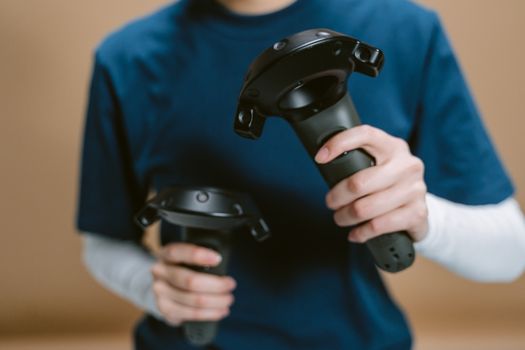
Close-up of individual holding VR controllers, focused on hands and devices. Photo: Tima Miroshnichenko / Pexels
Once the visual and auditory immersion is established, the next crucial step in understanding how does virtual reality work is how users interact with these digital realms. Simply observing a virtual world is interesting, but true engagement comes from the ability to manipulate and respond to it. This is primarily achieved through a variety of input devices, with handheld controllers being the most common. These controllers are not just simple joysticks; they are sophisticated devices equipped with their own tracking sensors, allowing the VR system to know their precise position and orientation in 3D space. This means when you reach out your hand in the real world, your virtual hand or tool mirrors that movement, enabling intuitive interaction with virtual objects. You can pick up items, press buttons, draw in the air, or wield virtual weapons with a natural motion, bridging the gap between physical action and digital consequence. Beyond basic movement and button presses, many VR controllers incorporate haptic feedback. This technology provides tactile sensations, adding another layer of realism to interactions. For example, when you virtually grab an object, the controller might vibrate gently, simulating the feeling of contact. If you fire a virtual gun, you might feel a jolt or recoil. This haptic feedback significantly enhances the sense of presence and makes interactions feel more tangible and believable. Some advanced VR setups even integrate full-body tracking or haptic suits, allowing for even more comprehensive physical engagement, where vibrations or even slight pressure can be applied to different parts of your body, simulating impacts or textures. The goal is to make the virtual world respond to your actions in a way that feels natural and consistent with real-world physics, further solidifying the illusion. This seamless and responsive interaction is what transforms a static visual experience into a dynamic, engaging, and truly immersive adventure. Discover the latest advancements in VR input devices and their impact on user experience.

Choosing Your VR Experience: Tips and Considerations

Navigating the world of VR can be exciting, but with numerous options, knowing how to choose the right setup is key to a satisfying experience. Understanding how does virtual reality work allows you to make informed decisions. Here are some tips and considerations: * **PC VR vs. Standalone VR:** * **PC VR (e.g., Valve Index, HTC Vive):** Offers the highest fidelity graphics and processing power, requiring a powerful gaming PC. Best for hardcore gamers and professional applications. Requires more setup and space. * **Standalone VR (e.g., Meta Quest 3, Pico 4):** All-in-one units with integrated processors and displays. More convenient, portable, and affordable. Great for casual users, social VR, and wireless freedom. Graphics are generally less powerful than PC VR. * **Field of View (FOV):** A wider FOV (e.g., 100+ degrees) provides a more immersive experience, reducing the 'screen door effect' and making you feel more present. Test different headsets if possible. * **Resolution and Refresh Rate:** Higher resolution means sharper images and less pixelation. A higher refresh rate (90Hz, 120Hz) leads to smoother motion and reduces motion sickness. Aim for the highest you can afford. * **Tracking Type:** * **Inside-out tracking:** Cameras on the headset track your position relative to the room (common in standalone VR). Easier setup, less external hardware. * **Outside-in tracking:** External base stations track the headset and controllers (common in PC VR). Often more precise, especially for fast movements, but requires more setup. * **Comfort and Ergonomics:** VR headsets can be heavy. Ensure it fits comfortably, is well-balanced, and has adjustable straps. Extended use requires good weight distribution and padding. * **IPD Adjustment (Interpupillary Distance):** The distance between your pupils. Proper IPD adjustment is crucial for visual clarity and comfort, especially to prevent eye strain. Look for headsets with physical IPD adjustment dials. * **Audio:** Integrated headphones or pass-through audio? Good spatial audio greatly enhances immersion. Consider headsets with built-in high-quality audio or a 3.5mm jack for your own headphones. By considering these factors, you can select a VR system that aligns with your budget, space, and desired experience, ensuring you get the most out of this incredible technology.

Comparison

FeatureMeta Quest 3 (Standalone)Valve Index (PC VR)PlayStation VR2 (Console VR)
TypeStandalonePC-tetheredConsole-tethered
Price Range (USD)$500+$1000+$550+ (plus PS5)
Required HardwareNone (all-in-one)High-end Gaming PCPlayStation 5
TrackingInside-outOutside-in (Base Stations)Inside-out
Resolution Per Eye2064x22081440x16002000x2040
Refresh Rate90Hz, 120Hz80Hz, 90Hz, 120Hz, 144Hz90Hz, 120Hz
Wireless Freedom✗ (with 3rd party adapter)
Best ForAccessibility, Social, GamingHigh-fidelity Gaming, EnthusiastsConsole Gaming, PS5 Owners

What Readers Say

"I was always curious about how does virtual reality work, and getting my first headset was mind-blowing. The sense of presence in games is incredible, like actually being inside the world. It completely changed my perspective on entertainment."

Alex R. · Seattle, WA

"Using VR for architectural visualization has been a game-changer for our firm. Clients can literally walk through designs before they're built, understanding the space in a way that 2D renders just can't convey. It's an essential tool for us now."

Maria S. · Austin, TX

"I used VR for physical therapy after an injury, and the immersive games made my exercises feel like fun challenges instead of chores. My recovery was much faster, and it kept me motivated daily."

Ben K. · Chicago, IL

"While VR is amazing, I sometimes still get a little motion sickness in certain fast-paced games. However, for experiences like virtual tourism or social VR, it's absolutely fantastic and worth the occasional discomfort."

Chloe L. · Miami, FL

"As a flight simulator enthusiast, VR has taken my hobby to an entirely new level. Being able to look around the cockpit and out the windows as if I'm truly there makes the experience incredibly realistic and engaging."

David P. · Denver, CO

Frequently Asked Questions

What are the main components that explain how does virtual reality work?

Virtual reality primarily works through a combination of a head-mounted display (HMD) with specialized lenses and high-resolution screens, sophisticated motion tracking sensors for head and hand movements, and often haptic feedback controllers. These components work in unison to create a convincing, interactive, and immersive digital environment.

Can virtual reality make you sick?

Yes, some people can experience motion sickness (cybersickness) in VR. This often occurs when there's a disconnect between what your eyes see (motion in the virtual world) and what your inner ear senses (no physical motion). Modern VR systems are designed with high refresh rates and low latency to minimize this, but individual sensitivity varies.

How do I set up a basic VR system at home?

For standalone VR (like Meta Quest), simply charge the headset, download the companion app, and follow the on-screen instructions. For PC VR, you'll need a powerful gaming PC, the headset, and often external base stations or sensors. Connect the headset to your PC, install necessary drivers and software (e.g., SteamVR), and calibrate your play space according to the instructions.

Is virtual reality expensive?

The cost of virtual reality varies significantly. Entry-level standalone headsets can be found for a few hundred dollars, offering a great starting point. High-end PC VR systems, which require a powerful gaming PC in addition to the headset, can cost well over a thousand dollars. The value depends on your desired level of immersion and application.

How is augmented reality (AR) different from virtual reality (VR)?

While both are immersive technologies, VR (virtual reality) completely replaces your view of the real world with a simulated one. AR (augmented reality), on the other hand, overlays digital information and objects onto your view of the real world, enhancing it rather than replacing it. Think of VR as total immersion, and AR as digital enhancement of reality.

Who should consider using virtual reality?

Virtual reality is for anyone seeking immersive entertainment, from gamers to movie lovers. It's also increasingly valuable for professionals in fields like architecture, medicine for training, education for interactive learning, and even therapy for exposure treatments. Essentially, anyone looking for a new way to interact with digital content or train in simulated environments can benefit.

Are there any health risks associated with prolonged VR use?

While generally safe when used responsibly, prolonged VR use can lead to eye strain, fatigue, or motion sickness in some individuals. It's recommended to take regular breaks, ensure proper headset fit and hygiene, and be aware of your surroundings to prevent accidental collisions. There's no scientific evidence of long-term damage, but moderation is key.

What does the future hold for virtual reality technology?

The future of VR is expected to bring even more realistic visuals with higher resolutions and wider fields of view, more intuitive interaction methods like eye tracking and brain-computer interfaces, and lighter, more comfortable headsets. We'll likely see greater integration with AR, creating mixed reality experiences, and expanded applications in remote work, social interaction, and personalized training.

Now that you understand how does virtual reality work, are you ready to step into new dimensions? Explore the vast potential of VR, from groundbreaking games to transformative professional tools, and redefine your interaction with digital worlds.

Topics: how does virtual reality workVR technology explainedvirtual reality componentsVR immersionfuture of VR
Leo List

IE Escorts NO Escorts US Escorts NZ Escorts AU Escorts
Brampton weed
Adultwork EstrelaBet Vai de Bet R7 Bet Betão Galera Bet Rainbet Bet9ja Shop SportyBet BetKing Sisal Loto Foot Hollywoodbets YesPlay Odibets RushBet Jugabet BetWarrior BetCity MSport betPawa Fortebet