Cheap Gaming PC Builds Under $800: Your Ultimate Guide
June 15, 2026 20 min read 4,055 words
Build a powerful gaming rig that delivers excellent performance on a tight budget, proving high-end gaming is accessible.
Start Building Your Dream PC
The $800 Gaming PC Sweet Spot: What to Expect
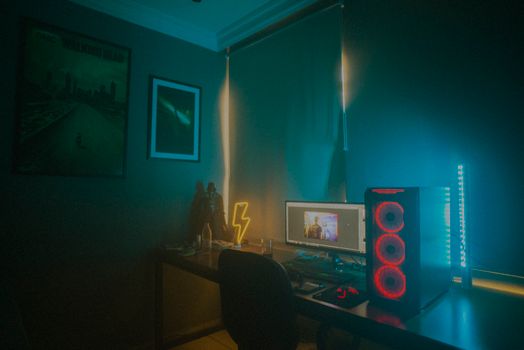 Photo: Isabella Mendes / Pexels
Building a gaming PC for under $800 might sound like a tall order in today's market, especially with ever-increasing component prices. However, with careful planning, smart component selection, and a bit of patience, it's absolutely achievable to construct a rig that delivers excellent 1080p gaming performance in most modern titles. This budget tier typically targets high refresh rate 1080p gaming in esports titles like Valorant, CS:GO, and League of Legends, and solid 60+ FPS performance at medium to high settings in more demanding AAA games such as Cyberpunk 2077, Assassin's Creed Valhalla, or Red Dead Redemption 2. You won't be pushing 4K ultra settings, nor should you expect high-end ray tracing capabilities, but you will get a highly enjoyable and responsive gaming experience that far surpasses what consoles or entry-level pre-builts offer at a similar price point. The key here is balance. Every dollar counts, and overspending on one component at the expense of another can create a bottleneck that cripples overall performance. Our goal is to avoid such pitfalls by prioritizing the components that directly impact gaming performance the most: the Graphics Processing Unit (GPU) and the Central Processing Unit (CPU). RAM and storage also play crucial roles, but their impact on raw FPS is generally less significant than the GPU and CPU, assuming you meet certain minimum requirements. Power Supply Units (PSUs) and cases, while essential, can be chosen for reliability and functionality without needing to break the bank on premium features. Motherboards should be selected to support your chosen CPU and provide necessary expansion, but high-end features are often unnecessary for a budget build. We'll delve into specific component recommendations and why certain choices are made to ensure you get the absolute best performance for your investment. This guide aims to empower you, the budget-conscious gamer, to make informed decisions and confidently assemble a machine that punches well above its weight class. Understanding the compromises and opportunities within this budget is the first step towards a successful build.
Optimizing your gaming setup involves more than just raw power; it's about smart allocation of resources.
Component Breakdown: Maximizing Value in Your $800 Build
When you're working with a tight budget like $800, every component choice becomes critical. The goal is to get the best performance per dollar, which means making informed decisions about where to spend and where to save. Let's break down the core components:
**Graphics Card (GPU):** This is arguably the single most important component for gaming performance. For an $800 build, you're looking at entry-to-mid-range cards. Options like the AMD Radeon RX 6600, RX 6600 XT, or even a used NVIDIA GeForce RTX 2060 or GTX 1660 Super are strong contenders. The RX 6600, in particular, often provides exceptional value, offering solid 1080p performance for around $200-$250. Keep an eye out for sales or consider the used market where you might find an RTX 3050 or even an older RTX 2060 Super for a similar price. Prioritize a card with at least 8GB of VRAM if possible for future-proofing, but 6GB can suffice for many games at 1080p.
**Processor (CPU):** Your CPU needs to be powerful enough to feed data to your GPU without bottlenecking it. For this budget, AMD's Ryzen 5 series (e.g., Ryzen 5 5600, Ryzen 5 5500) or Intel's Core i3/i5 12th or 13th gen (e.g., i3-12100F, i5-12400F) are excellent choices. The Ryzen 5 5600 is a fantastic all-rounder, offering 6 cores and 12 threads with great single-core performance, often found for under $150. The Intel i3-12100F is surprisingly capable for gaming at a lower price point, especially if paired with a strong GPU. Avoid going too low on the CPU, as it can severely limit your GPU's potential. Integrated graphics CPUs (like the Ryzen 5 5600G) are generally not recommended for dedicated gaming builds unless you absolutely cannot afford a discrete GPU immediately and plan to add one later.
**Motherboard:** Choose a motherboard that is compatible with your chosen CPU and provides the necessary ports and expansion slots. For AMD Ryzen 5000 series, a B550 or A520 chipset board is sufficient. For Intel 12th/13th gen, an H610 or B660 chipset board will work. Look for models with at least two RAM slots, M.2 NVMe support, and enough USB ports. You don't need a high-end Z-series or X-series board; a basic, reliable model will save you money without impacting gaming performance.
**RAM (Memory):** 16GB of DDR4 RAM is the sweet spot for modern gaming. Aim for a speed of 3200MHz or 3600MHz with a CAS Latency (CL) of 16 for optimal performance with Ryzen CPUs. While 8GB might seem tempting to save money, many modern games will struggle, leading to stuttering and poor frame rates. A 2x8GB kit ensures you run in dual-channel mode, which provides a significant performance boost over a single stick.
**Storage:** An SSD (Solid State Drive) is non-negotiable for your operating system and frequently played games. A 500GB NVMe M.2 SSD is a good starting point, offering fast boot times and quick game loading. Brands like Crucial, WD, and Samsung offer reliable options. If your budget allows, a 1TB SSD is preferable. You can always add a larger, slower HDD later for mass storage if needed, but for gaming, the speed of an SSD is paramount. Don't underestimate the impact of fast storage on overall system responsiveness.
**Power Supply Unit (PSU):** Don't skimp on the PSU. A reliable 550W to 650W 80+ Bronze rated PSU from a reputable brand (e.g., Corsair, Seasonic, EVGA, Cooler Master) will provide stable power and protect your components. Calculate your estimated power draw (there are many online calculators) and add a buffer. A cheap, unbranded PSU can lead to system instability or even component failure. Look for units that come with a good warranty.
**Case:** This is largely a matter of personal preference and budget. Any ATX or Micro-ATX compatible case with decent airflow and enough space for your components will work. You can often find good budget cases for $50-$70. Look for cases with pre-installed fans (even basic ones) and good cable management options. Aesthetics are secondary to functionality here. Prioritize airflow to keep your components cool, especially the GPU. Choosing a case with good front mesh panels can significantly improve thermal performance. Remember, a cool PC is a happy PC, and happy components last longer and perform better. Keep an eye on the dimensions to ensure your chosen GPU will fit comfortably.
Building Your Budget Beast: Two Recommended Builds Under $800
Here are two distinct build recommendations, carefully curated to maximize performance within the $800 budget. Both focus on 1080p gaming excellence, but offer slightly different component philosophies.
**Build 1: The AMD Value Champion (Approx. $750-$780)**
This build leverages AMD's excellent price-to-performance ratio for both CPU and GPU, offering a balanced system capable of handling most modern games at high settings at 1080p.
* **CPU:** AMD Ryzen 5 5600 ($130-$150) - A fantastic 6-core, 12-thread CPU that comes with a decent stock cooler, saving you money.
* **GPU:** AMD Radeon RX 6600 8GB ($200-$220) - The star of the show for budget gaming, offering performance comparable to or exceeding the RTX 3050 at a lower price point. It's excellent for 1080p high/ultra settings.
* **Motherboard:** ASRock B550M-HDV or Gigabyte B550M DS3H (Micro ATX) ($90-$110) - Solid entry-level B550 boards with PCIe 4.0 support for the GPU and NVMe SSD, ensuring future compatibility and speed.
* **RAM:** G.Skill Ripjaws V 16GB (2 x 8GB) DDR4 3200MHz CL16 ($45-$55) - Standard, reliable, and fast enough for Ryzen CPUs. Dual-channel is crucial here.
* **Storage:** Crucial P3 1TB NVMe M.2 SSD ($60-$75) - A generous 1TB of fast NVMe storage ensures plenty of space for your OS and several games, with quick loading times.
* **Power Supply:** EVGA 500 GD 500W 80+ Gold ($50-$60) - A reliable 500W unit is plenty for this build, and the Gold rating means better efficiency. Alternatively, a good 550W 80+ Bronze from Corsair or Seasonic.
* **Case:** Montech X3 Mesh or Deepcool MACUBE 110 (Micro ATX) ($50-$65) - Both offer excellent airflow with multiple pre-installed fans, which is a huge plus for budget builds where you don't want to buy extra fans.
**Total Estimated Cost: ~$750-$780**
**Build 2: The Intel/NVIDIA Hybrid (Approx. $770-$800)**
This build pairs an excellent budget Intel CPU with a strong NVIDIA GPU, offering a slightly different performance profile, especially if you prefer NVIDIA's ecosystem or specific features like DLSS (though the RX 6600 has FSR, AMD's alternative).
* **CPU:** Intel Core i3-12100F ($90-$110) - A surprisingly powerful 4-core, 8-thread CPU that punches above its weight in gaming, especially when paired with a good GPU. Does not include integrated graphics, requiring a discrete GPU.
* **GPU:** NVIDIA GeForce RTX 2060 6GB (Used) or RTX 3050 8GB (New) ($200-$250) - The RTX 2060 (used market) can offer great value, sometimes outperforming the new RTX 3050. The RTX 3050 is a decent new option for 1080p, offering DLSS. Be careful with used GPUs and verify seller reputation.
* **Motherboard:** Gigabyte H610M S2H DDR4 (Micro ATX) ($80-$90) - A basic but reliable H610 board that supports 12th/13th gen Intel CPUs and DDR4 RAM. It's cost-effective and provides essential features.
* **RAM:** TeamGroup T-Force Vulcan Z 16GB (2 x 8GB) DDR4 3200MHz CL16 ($45-$55) - Another solid choice for affordable, performance-oriented DDR4 RAM.
* **Storage:** WD Blue SN570 1TB NVMe M.2 SSD ($65-$80) - A fast and reliable 1TB NVMe drive, crucial for quick game loading and system responsiveness.
* **Power Supply:** Corsair CV550 550W 80+ Bronze ($55-$65) - A trusted brand, providing ample and stable power for this configuration. Always invest in a reputable PSU.
* **Case:** Fractal Design Focus G Mini (Micro ATX) or Cooler Master MasterBox Lite 3.1 (Micro ATX) ($55-$70) - Both offer decent airflow and build quality for the price, with space for components and cable management.
Choosing the right PC case is more important than many realize for long-term component health.
**Total Estimated Cost: ~$770-$800**
Remember that prices fluctuate, so always check current market rates and look for deals. These builds are templates; you can adjust components based on availability and specific deals you find. The most important takeaway is to balance your budget across the core components to avoid bottlenecks and ensure a smooth gaming experience. Don't forget an operating system (Windows 10/11 Home) which can add another $100-$120, though there are ways to acquire it more affordably or use Linux for free (though game compatibility can be an issue for some titles).
Smart Savings & Common Mistakes to Avoid When Building on a Budget
Building a cheap gaming PC under $800 is an exercise in smart financial decisions and strategic component choices. To ensure you get the most out of your budget, it's crucial to understand where you can save money wisely and, equally important, what common pitfalls to avoid. Many aspiring PC builders make mistakes that either waste money or compromise performance, so let's navigate these together.
**Smart Savings Strategies:**
* **Leverage the Used Market (Especially for GPUs):** This is perhaps the biggest money-saving opportunity. Used GPUs like an RTX 2060 Super, GTX 1080 Ti, or even an RX 5700 XT can offer performance far superior to new cards at the same price point. Sites like eBay, r/hardwareswap on Reddit, and local marketplaces (Craigslist, Facebook Marketplace) are excellent resources. Always check seller ratings, ask for benchmarks/proof of functionality, and consider paying with methods that offer buyer protection. While riskier, the potential savings are immense.
* **Buy Older Generation CPUs (New):** While the latest CPUs are exciting, older generations like the AMD Ryzen 5 5600 or Intel Core i5-12400F are still incredibly capable for gaming and often see significant price drops after new releases. Their performance difference in 1080p gaming might be minimal compared to their newer counterparts, but their price difference can be substantial.
* **Opt for Smaller SSDs (Initially):** While a 1TB SSD is ideal, starting with a 500GB NVMe SSD for your OS and primary games can save $30-$50. You can always add a larger, cheaper SATA SSD or a traditional HDD later for bulk storage as your budget allows.
* **Choose a Basic, Functional Case:** Don't get caught up in fancy RGB or tempered glass if it means sacrificing performance elsewhere. A simple, well-ventilated case with decent cable management options will serve you perfectly well for $50-$70. Focus on airflow, not aesthetics.
* **Stock Coolers for CPUs (Where Applicable):** Many AMD Ryzen CPUs (like the 5600) come with a perfectly adequate stock cooler for non-overclocked performance. This eliminates the need for an aftermarket cooler, saving $30-$50.
* **Look for Bundles and Sales:** Retailers frequently offer CPU+Motherboard bundles or sales on specific components. Keep an eye on deal aggregator sites and forums (e.g., Slickdeals, PCPartPicker's deals section) for opportune moments to buy.
**Common Mistakes to Avoid:**
* **Bottlenecking Your System:** This is when one component (often the CPU) is too weak to keep up with another (often the GPU), preventing the stronger component from performing at its full potential. For example, pairing a powerful RTX 3060 with an ancient dual-core CPU would be a severe bottleneck. Always strive for a balanced build where CPU and GPU are well-matched.
* **Skimping on the Power Supply (PSU):** A cheap, generic PSU is a ticking time bomb. It can lead to unstable performance, component damage, and even fire hazards. Always buy a PSU from a reputable brand (Corsair, Seasonic, EVGA, Cooler Master, etc.) with an 80+ Bronze or higher efficiency rating, even if it means spending an extra $10-$20.
* **Buying Only 8GB of RAM:** While 8GB was once sufficient, modern games and multitasking demand 16GB. Running with 8GB will often lead to stuttering, longer loading times, and a generally less smooth experience. Always aim for 2x8GB sticks to benefit from dual-channel memory.
* **Ignoring Motherboard Compatibility:** Ensure your chosen CPU and RAM are compatible with your motherboard. Check socket types (e.g., AM4 for Ryzen 5000 series, LGA 1700 for Intel 12th/13th gen) and RAM type (DDR4). PCPartPicker is an invaluable tool for checking compatibility.
* **Not Considering Future Upgrades:** While building on a budget, think about potential future upgrades. A B550 motherboard, for instance, offers a better upgrade path for future Ryzen CPUs than an A520. A slightly larger PSU can accommodate a more powerful GPU down the line. Small considerations now can save significant money later.
* **Forgetting Peripherals and Operating System:** The $800 budget typically covers the PC components only. Remember to budget separately for a monitor, keyboard, mouse, and a copy of Windows 10/11. These can easily add another $200-$400 to your total cost. There are legal ways to acquire Windows for free or at a reduced cost, but factor it into your overall plan.
Optimizing your PC for gaming includes having good peripherals.
Beyond the Build: Essential Software & Configuration Tips
Once your budget gaming PC is physically assembled, the journey isn't over. The right software, drivers, and configuration can significantly impact your gaming experience, often boosting performance and stability without costing an extra dime. Neglecting these steps can leave you with a powerful machine underperforming its potential. Here's a rundown of essential software and configuration tips to get your cheap gaming PC builds under $800 running optimally.
**1. Operating System Installation:**
First and foremost, you'll need an operating system. Windows 10 or Windows 11 are the go-to choices for PC gaming due to broad game compatibility and driver support. You can create a bootable USB drive using Microsoft's Media Creation Tool. During installation, choose a custom install and select your NVMe SSD as the primary drive. While Windows licenses can be expensive, there are often legitimate ways to acquire them at a discount or even use an unactivated version with limited personalization features until you can purchase a key.
**2. Driver Installation – Crucial for Performance:**
This is perhaps the most critical step after OS installation. Outdated or missing drivers can severely cripple your PC's performance. Focus on these:
* **Chipset Drivers:** Download these directly from your motherboard manufacturer's website or AMD/Intel's website. These drivers ensure your CPU and motherboard communicate effectively.
* **Graphics Card Drivers:** Absolutely essential. For NVIDIA GPUs, download GeForce Game Ready Drivers; for AMD GPUs, get Radeon Software Adrenalin Edition. Always download the latest stable version directly from NVIDIA or AMD's official sites. These drivers unlock your GPU's full potential and provide game-specific optimizations.
* **Other Drivers:** Install any other necessary drivers from your motherboard manufacturer's website, such as LAN (Ethernet), Wi-Fi (if applicable), and audio drivers.
**3. BIOS/UEFI Settings Optimization:**
After installing your OS and drivers, a quick visit to your BIOS/UEFI can unlock further performance. Look for settings like:
* **XMP/DOCP Profile:** Enable this for your RAM to run at its advertised speed (e.g., 3200MHz, 3600MHz). By default, RAM often runs at a lower JEDEC speed.
* **Resizable BAR/Smart Access Memory (SAM):** If your CPU and GPU support it (e.g., AMD Ryzen 5000 series CPU with RX 6000 series GPU, or Intel 10th gen+ with RTX 30 series GPU), enabling this can provide a small but noticeable performance boost in some games.
* **Boot Order:** Ensure your NVMe SSD is the primary boot device for faster startup times.
**4. Windows Settings for Gaming:**
* **Power Plan:** Set your power plan to 'High Performance' or 'Ultimate Performance' (if available). This prevents your CPU from downclocking during gaming.
* **Game Mode:** Windows 10/11 has a 'Game Mode' feature. While its effectiveness is debated, it generally aims to prioritize gaming processes. You can toggle it on in Windows Settings > Gaming > Game Mode.
* **Disable Unnecessary Startup Programs:** Many applications launch with Windows, consuming precious RAM and CPU cycles. Use Task Manager to disable anything you don't need running in the background.
* **Update Windows:** Keep your operating system up-to-date to benefit from performance improvements, security patches, and bug fixes.
**5. Essential Software & Tools:**
* **Web Browser:** Chrome, Firefox, Edge – whatever you prefer.
* **Discord/VoIP:** For communicating with friends.
* **Game Launchers:** Steam, Epic Games Store, GOG Galaxy, Battle.net, etc.
* **Monitoring Software:** MSI Afterburner (for GPU monitoring, overclocking, and custom fan curves), HWMonitor (for general component temperatures and clock speeds). These help you understand how your system is performing.
* **Antivirus:** A good antivirus is crucial. Windows Defender is built-in and generally sufficient, but you can opt for third-party solutions if you prefer.
By diligently following these steps, you'll not only have a physically assembled gaming PC but also a finely tuned machine ready to deliver the best possible gaming experience within your $800 budget. Don't underestimate the power of optimized software and drivers; they are the unsung heroes of a smooth gaming rig.
