Best Webcams for Streaming 2024: Your Ultimate Guide
best webcams for streaming 2024

Best Webcams for Streaming 2024: Your Ultimate Guide

Elevate your live streams and video content with our expert picks for the top streaming webcams of the year.

Find Your Perfect Webcam

Key Takeaways

  • ✓ Resolution matters: 1080p at 60fps is the sweet spot for most streamers, with 4K becoming more accessible.
  • ✓ Autofocus and low-light performance are crucial for maintaining professional image quality.
  • ✓ Built-in microphones are often insufficient; consider a dedicated external microphone.
  • ✓ Software integration and customization options enhance the streaming experience and visual appeal.

How It Works

1
Identify Your Streaming Needs

Determine your primary platform (Twitch, YouTube, Zoom), content type (gaming, tutorial, vlogging), and budget. This helps narrow down suitable webcam features.

2
Evaluate Key Specifications

Prioritize resolution (1080p, 4K), frame rate (30fps, 60fps), lens type (glass, plastic), and field of view. These directly impact your video quality and presentation.

3
Consider Additional Features

Look for reliable autofocus, effective low-light correction, and intuitive companion software. Features like background replacement or digital zoom can also be beneficial.

4
Test and Optimize Your Setup

Once you've chosen a webcam, connect it, install drivers, and experiment with settings in your streaming software. Adjust lighting and camera placement for optimal results.

Understanding Core Webcam Technologies for Streamers
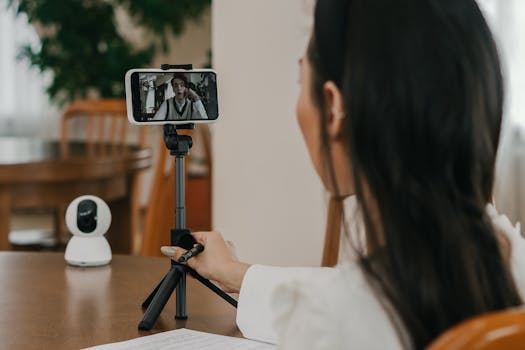
A woman making a video call on a smartphone using a cellphone stand indoors. Photo: Mikhail Nilov / Pexels
In the rapidly evolving world of live streaming, a high-quality webcam is no longer a luxury but a fundamental necessity. The visual fidelity of your stream directly impacts viewer engagement and the overall professionalism of your content. When delving into the 'best webcams for streaming 2024', it's crucial to understand the underlying technologies that differentiate a good webcam from a great one. The primary factors revolve around resolution, frame rate, lens quality, and sensor technology. Resolution, often expressed as 1080p or 4K, refers to the number of pixels in each frame. While 4K offers unparalleled detail, it demands significant bandwidth and processing power from both your setup and your viewers' internet connections. For most streamers, 1080p (Full HD) at 60 frames per second (fps) strikes an excellent balance between visual clarity and performance. A higher frame rate, like 60fps, results in smoother, more fluid motion, which is particularly vital for dynamic content such as gaming, sports, or fast-paced tutorials. A 30fps stream can appear choppy by comparison, especially when there's a lot of movement on screen. Some advanced webcams offer 1080p at 90fps or even 120fps, providing an even more buttery smooth experience, though this is often overkill for general streaming. Lens quality is another critical, yet often overlooked, aspect. Premium webcams typically feature multi-element glass lenses, which offer superior light gathering capabilities and sharper images compared to their plastic counterparts. A better lens minimizes distortion, improves color accuracy, and allows for a wider aperture, which is beneficial in low-light conditions. Related to this is the sensor size; generally, a larger sensor can capture more light, leading to less noise and better image quality in dimly lit environments. This is where many budget webcams fall short, producing grainy footage when lighting isn't perfect. Look for webcams that boast advanced sensor technology, often paired with proprietary image processing algorithms designed to enhance dynamic range and reduce visual artifacts. Autofocus capabilities are also paramount for streamers. A fast and accurate autofocus system ensures you remain sharp and in focus, even if you move around or if objects enter the frame. Some webcams use sophisticated AI-powered autofocus that can track your face, keeping you perfectly centered and clear. Manual focus options can also be useful for specific static shots, but for live, dynamic content, a reliable autofocus is indispensable. Furthermore, the field of view (FOV) – how wide the camera can see – varies significantly. A wider FOV (e.g., 90 degrees) is excellent for showing more of your environment or for multiple people, while a narrower FOV (e.g., 78 degrees) is better for a tighter, more personal shot of just yourself. Many top-tier webcams offer adjustable FOV settings through their companion software, providing greater flexibility. Understanding these technical nuances empowers you to make an informed decision and invest in a webcam that truly elevates your streaming quality. For more insights into optimizing your streaming setup, check out our guide on essential streaming gear.

Top Contenders: Best Webcams for Streaming in 2024

Woman using smartphone and ring light in office for content creation. Photo: RDNE Stock project / Pexels
Navigating the crowded market of webcams can be daunting, but several models consistently rise to the top for their exceptional performance and streamer-centric features. When identifying the 'best webcams for streaming 2024', we look at a blend of raw specifications, software prowess, and real-world user experience. The Logitech StreamCam stands out for its vertical video support, making it ideal for TikTok and Instagram Live, alongside its excellent 1080p 60fps performance. Its intelligent auto-focus and auto-exposure features, powered by Logitech Capture software, adapt quickly to changing lighting conditions and movement, ensuring a consistently clear and professional image. The built-in electronic image stabilization also helps to reduce camera shake, a subtle but important detail for polished streams. Another formidable option is the Razer Kiyo Pro. While it doesn't offer 4K, its uncompressed 1080p 60fps video quality, coupled with a large 1/2.8-inch STARVIS sensor, delivers incredibly sharp and vibrant images even in challenging low-light environments. The Kiyo Pro's adaptive light sensor intelligently adjusts to ambient conditions, eliminating the need for a ring light in many scenarios. Its wide-angle lens with adjustable field of view (up to 103 degrees) makes it versatile for various streaming setups, from tight headshots to showcasing more of your background. Razer's Synapse software provides extensive control over image settings, allowing for fine-tuning of color, contrast, and white balance to match your specific aesthetic. For those seeking the pinnacle of visual fidelity, the Elgato Facecam Pro emerges as a powerhouse. This webcam is specifically engineered for streamers, offering uncompressed 4K at 60fps. This level of detail is unmatched by most competitors, providing broadcast-quality video that can truly set your stream apart. It features a professional-grade f/2.4 21mm prime lens, optimized for indoor use, and a large 1/1.8-inch sensor. Elgato's Camera Hub software is incredibly robust, giving users DSLR-like control over exposure, white balance, ISO, shutter speed, and more. While its price point is higher, the investment is justified for serious content creators who demand the absolute best. It integrates seamlessly with other Elgato products, creating a cohesive and powerful streaming ecosystem. The Facecam Pro's fixed focus lens ensures consistent sharpness at a specific distance, which is ideal for dedicated streaming setups where the user remains largely stationary. Finally, for a more budget-friendly yet highly capable option, the AnkerWork B600 Video Bar combines a 2K 30fps webcam with an integrated speaker, microphone, and ring light. While not reaching the 60fps benchmark of its premium counterparts, its all-in-one design offers exceptional convenience and a clean setup. The built-in ring light provides adjustable brightness and color temperature, ensuring you're always well-lit. The B600’s AI-powered features, such as MagicSight and AI Zoom, automatically adjust framing and lighting to keep you looking your best. It's a fantastic choice for streamers who want a simple, effective solution without compromising too much on quality. These top contenders represent the diverse range of features and price points available, ensuring there's a perfect match for every streamer's needs in 2024.

Optimizing Your Streaming Setup: Beyond the Webcam
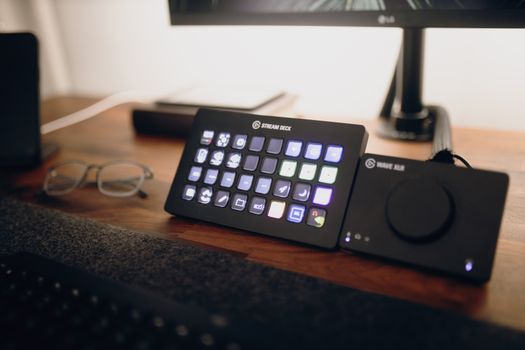
Stream Deck and audio interface on a modern workspace desk. Photo: Josh Sorenson / Pexels
While selecting one of the 'best webcams for streaming 2024' is a critical first step, achieving a truly professional stream requires attention to several other interconnected components of your setup. The webcam is merely one piece of a larger puzzle, and neglecting other elements can significantly diminish the impact of even the highest-quality camera. The most immediate consideration after your webcam should be lighting. Even the most expensive webcam will struggle to produce a clear, vibrant image in poor lighting. Natural daylight is often the best, but for consistent quality, especially during evening streams, dedicated lighting is essential. Ring lights are popular for illuminating the face evenly and reducing harsh shadows, creating a soft, appealing glow. Key lights (main light source) and fill lights (to soften shadows) can be used in a three-point lighting setup to achieve a more professional, cinematic look. Experiment with positioning and brightness to find what works best for your space and skin tone. Audio quality is arguably even more important than video quality for viewer retention. Viewers are often more forgiving of less-than-perfect visuals than they are of poor audio. While many webcams include built-in microphones, these are rarely sufficient for professional streaming. They often pick up ambient noise, lack clarity, and can sound tinny or distant. Investing in a dedicated external microphone is highly recommended. USB microphones like the Blue Yeti or Rode NT-USB Mini are excellent entry-level options, offering significant improvements in sound quality and clarity. For more advanced setups, XLR microphones paired with an audio interface provide superior control and flexibility. Positioning your microphone correctly – typically close to your mouth and off-camera – is crucial for capturing clear vocals and minimizing background noise. Consider acoustic treatment for your room, such as foam panels or even just strategically placed blankets, to reduce echo and reverberation. Your internet connection and computer hardware also play a pivotal role. Streaming high-quality video, especially 1080p 60fps or 4K, is bandwidth-intensive. A stable, fast internet connection with sufficient upload speed is non-negotiable to prevent dropped frames and buffering. A wired Ethernet connection is always preferred over Wi-Fi for its stability and reduced latency. Your computer's processor (CPU) and graphics card (GPU) must also be powerful enough to handle encoding your video stream in real-time without stuttering. Modern multi-core processors (e.g., Intel i7/i9, AMD Ryzen 7/9) and dedicated graphics cards (e.g., NVIDIA RTX, AMD Radeon RX) are essential for a smooth streaming experience. Overlays, alerts, and complex scenes in your streaming software (like OBS Studio or Streamlabs Desktop) also consume system resources, so ensure your hardware can keep up. Regularly updating your drivers and optimizing your streaming software settings can also yield significant performance improvements. For advanced setup ideas, consider exploring our guide on optimizing PC performance for gaming and streaming. Finally, the backdrop and environment of your stream contribute significantly to your overall presentation. A cluttered or distracting background can pull focus away from you. Consider a clean, minimalist background, or use a green screen for virtual backgrounds. Personalizing your space with subtle decorations that reflect your brand or personality can add character without being overwhelming. Maintaining a consistent aesthetic across your stream elements, from your webcam's color profile to your on-screen graphics, reinforces your brand and creates a more cohesive, professional look. Each of these elements, when thoughtfully considered and implemented, works in concert with your chosen webcam to create a truly captivating and high-quality streaming experience.

Common Mistakes to Avoid When Choosing and Using a Streaming Webcam
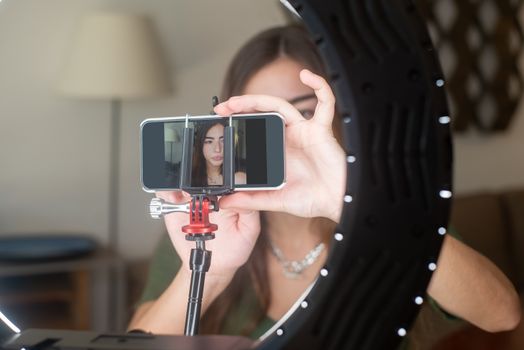
A young woman uses a smartphone with a ring light for online streaming at home. Photo: Kampus Production / Pexels
Even with the 'best webcams for streaming 2024' at your disposal, certain pitfalls can undermine your efforts. Being aware of these common mistakes can save you frustration and ensure you maximize your investment. One of the most frequent errors is prioritizing resolution over frame rate. While 4K sounds impressive, if it's limited to 30fps, the motion will appear less fluid than 1080p at 60fps. For most dynamic content, the smoothness of 60fps is a greater asset than the extra pixel density of 4K 30fps. Always aim for 60fps if your budget and internet upload speed allow. Another significant mistake is neglecting lighting. Many new streamers assume their webcam will magically make them look good, regardless of their environment. This is rarely the case. Poor lighting can lead to grainy images, unflattering shadows, and inaccurate colors, even with a high-end webcam. Always invest in proper lighting solutions, such as a ring light or softboxes, to ensure your face is evenly illuminated and your stream looks professional. Conversely, over-lighting can also be an issue, leading to blown-out highlights or an unnatural, washed-out look. Balance is key. Underestimating the importance of audio is a critical error. As discussed, viewers will tolerate imperfect video more readily than bad audio. Relying solely on a webcam's built-in microphone is a common mistake that often results in poor sound quality. These mics typically pick up a lot of room echo and keyboard clicks, making it hard for viewers to understand you. Invest in a dedicated microphone – even an affordable USB mic will be a vast improvement. Positioning the microphone correctly is also vital; it should be close to your mouth, not across the room. Ignoring companion software and drivers is another oversight. Modern webcams come with sophisticated software that allows for fine-tuning of settings like exposure, white balance, contrast, and field of view. Failing to install these drivers and explore the software means you're not getting the most out of your camera. Similarly, not integrating your webcam correctly with your streaming software (OBS, Streamlabs, etc.) can lead to performance issues or sub-optimal image quality. Always ensure your webcam is selected as the primary video input and that its settings are configured within your streaming application. Finally, neglecting your background and overall presentation can detract from your stream. A messy room, distracting posters, or poor camera angles can make your stream look unprofessional. Think about your backdrop as part of your brand. Keep it clean, relevant, or use a green screen effectively. Experiment with different camera angles to find one that is flattering and engaging. Regularly review your own VODs (video on demand) to identify areas for improvement in both your visual and audio presentation. Avoiding these common mistakes will significantly elevate the quality and professionalism of your live streams.

Comparison

FeatureElgato Facecam ProRazer Kiyo ProLogitech StreamCamAnkerWork B600 Video Bar
Max Resolution/FPS4K 60fps1080p 60fps (uncompressed)1080p 60fps2K 30fps
Lens TypeGlass (Prime)Glass (Wide Angle)GlassGlass
AutofocusFixed FocusAdvanced AFIntelligent AFAI AF
Low-Light PerformanceExcellentSuperior (STARVIS)GoodGood (MagicSight)
Built-in Mic✓ (Speaker/Mic Bar)
Integrated Light✓ (Adjustable Ring Light)
Software ControlExtensive (Camera Hub)Good (Synapse)Good (Capture)Basic (AnkerWork)
Vertical Video Support
Price Range (USD)$$$$$$$$$$$

What Readers Say

"The Elgato Facecam Pro is a game-changer for my YouTube tutorials. The 4K 60fps is incredibly sharp, making my coding explanations crystal clear. It's truly one of the best webcams for streaming 2024, worth every penny for serious content creators."

Alex 'StreamSavvy' Chen · Los Angeles, CA

"I upgraded to the Razer Kiyo Pro, and my Twitch streams have never looked better. The low-light performance is phenomenal, I barely need my ring light anymore. My viewers immediately noticed the difference in clarity and color vibrancy."

Maria 'GamingGoddess' Rodriguez · Austin, TX

"The Logitech StreamCam is perfect for my daily vlogs and vertical shorts. The auto-focus keeps me sharp even when I'm moving, and the 60fps makes my movements look so smooth. It's incredibly user-friendly and truly elevates my content."

David 'DailyVlog' Kim · New York, NY

"The AnkerWork B600 Video Bar is a solid all-in-one solution for my study streams. The integrated light and decent mic are super convenient, though I sometimes wish it had 60fps for smoother hand movements. Still, for the price, it's fantastic."

Sarah 'StudyStream' Lee · Seattle, WA

"As a podcaster who occasionally does video interviews, the Razer Kiyo Pro provides exceptional visual quality for my guests. The wide FOV is great for two-person setups, and the uncompressed video makes post-production a breeze. A truly professional device."

Mark 'PodcastPro' Johnson · Chicago, IL

Frequently Asked Questions

What resolution and frame rate should I aim for with the best webcams for streaming 2024?

For most streamers, 1080p at 60 frames per second (fps) is the ideal target. It offers excellent visual clarity and smooth motion without excessive demands on your internet bandwidth or computer hardware. While 4K webcams are available, they require robust systems and fast upload speeds, and many streaming platforms downscale 4K anyway.

Do I really need an external microphone if my webcam has one?

Yes, absolutely. While integrated webcam microphones can capture sound, their quality is generally subpar for professional streaming. They often pick up excessive background noise, lack clarity, and sound distant. A dedicated external microphone (USB or XLR) will dramatically improve your audio quality, which is crucial for viewer engagement.

How do I improve my webcam's image quality in low light?

The most effective way to improve low-light image quality is to add dedicated lighting. A ring light or softbox can provide even, flattering illumination, reducing graininess and enhancing color accuracy. Some premium webcams also feature larger sensors or adaptive light technology that performs better in dim conditions, but external light is always beneficial.

Are expensive webcams worth the investment for a new streamer?

For new streamers, a mid-range webcam offering 1080p 60fps (like the Logitech StreamCam) is often a great starting point. More expensive webcams, such as the Elgato Facecam Pro, offer superior image quality, advanced features, and greater control, which become more valuable as your audience grows and your content demands higher production value. It's an investment that pays off over time.

What's the difference between a gaming webcam and a regular webcam?

The primary difference lies in features optimized for streamers. Gaming webcams often prioritize higher frame rates (60fps), better low-light performance, robust autofocus, and software integration with streaming platforms. They are designed for consistent, high-quality output during live broadcasts, whereas standard webcams are typically sufficient for casual video calls.

Who should consider a 4K streaming webcam in 2024?

4K streaming webcams are best suited for professional content creators, videographers, or streamers who produce highly detailed content (e.g., art tutorials, product reviews, unboxings) where every pixel matters. They are also ideal for those with exceptionally powerful PCs and very high internet upload speeds, as 4K streaming demands significant resources.

Is a wide field of view (FOV) always better for streaming?

Not necessarily. A wider FOV (e.g., 90 degrees) is great for showing more of your environment, multiple people, or if you move around a lot. However, for a tighter, more personal shot of just yourself, a narrower FOV (e.g., 78 degrees) can be more intimate and keep the focus solely on you, minimizing distracting background elements. Many webcams offer adjustable FOV.

What's a future trend for best webcams for streaming 2024?

Future trends for streaming webcams include increased integration of AI for advanced features like intelligent framing, dynamic lighting adjustments, and enhanced background removal without a green screen. We'll also see more webcams offering uncompressed video output for higher quality, and further improvements in low-light performance and HDR capabilities.

Choosing one of the best webcams for streaming 2024 is a pivotal step towards creating professional and engaging content. By understanding your needs and investing wisely in a quality camera and supporting gear, you can significantly elevate your streams and connect with your audience like never before. Don't settle for less; your content deserves to shine.

Topics: best webcams for streaming 2024streaming camera reviewswebcam for Twitch4K streaming webcamwebcam for YouTube
Leo List
Brampton weed
Adultwork EstrelaBet Vai de Bet R7 Bet Betão Galera Bet Rainbet Bet9ja Shop SportyBet BetKing Sisal Loto Foot Hollywoodbets YesPlay Odibets RushBet Jugabet BetWarrior BetCity MSport betPawa Fortebet