Unlock Peak Performance: Best External Hard Drive for Gaming PC
August 24, 2026 14 min read 2,896 words
Expand your game library and slash load times with the ultimate external storage solution for your gaming rig.
Find Your Drive Now
Why an External Drive is Essential for Modern Gaming
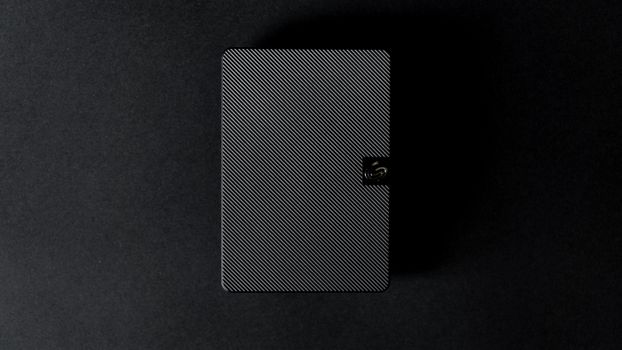 Photo: Uwukuri Emery / Pexels
In the fast-evolving world of PC gaming, the demand for storage has skyrocketed. Modern AAA titles routinely demand 100GB, 150GB, or even 200GB of space, making even a 1TB internal drive feel cramped after just a handful of installations. This is where the best external hard drive for gaming PC becomes not just a convenience, but a necessity. It offers an elegant solution to the ever-present problem of dwindling storage without the hassle of opening your PC case and dealing with internal component upgrades. Beyond sheer capacity, an external drive brings unparalleled flexibility. Imagine being able to carry your entire game library to a friend's house for a LAN party, or seamlessly transferring games between multiple PCs without lengthy re-downloads. This portability is a game-changer for many, allowing gamers to maintain access to their favorite titles on the go or across different setups.
However, it's not just about space and portability. The type of external drive you choose can significantly impact your gaming experience. While traditional Hard Disk Drives (HDDs) offer vast storage at a lower cost per gigabyte, their mechanical nature means slower load times. Solid State Drives (SSDs), on the other hand, utilize flash memory, providing dramatically faster read and write speeds. This translates directly into quicker game loading, reduced texture pop-in, and an overall smoother gaming experience. For competitive gamers, every second counts, and an SSD can shave crucial moments off loading screens, getting you into the action faster. The choice between an external HDD and an external SSD for gaming hinges on your priorities: do you need maximum storage for a vast collection of less-demanding titles, or lightning-fast access for your most-played, graphically intensive blockbusters?
Furthermore, the interface through which the external drive connects to your PC is paramount. A state-of-the-art external SSD connected via a slow USB 2.0 port will perform no better than a budget HDD. Modern gaming demands high-bandwidth connections like USB 3.2 Gen 2 (10Gbps) or even Thunderbolt 3/4 (40Gbps) to unlock the full potential of a high-speed external SSD. Understanding these technical specifications is crucial to making an informed decision and ensuring your investment truly enhances your gaming setup. We'll delve into these aspects in detail, helping you navigate the options and select the best external hard drive for gaming PC that aligns with your specific needs and budget. The goal is to optimize your gaming, not just expand it.
Explore the latest PC gaming peripherals to complete your ultimate setup.
SSD vs. HDD: Choosing Your External Gaming Storage
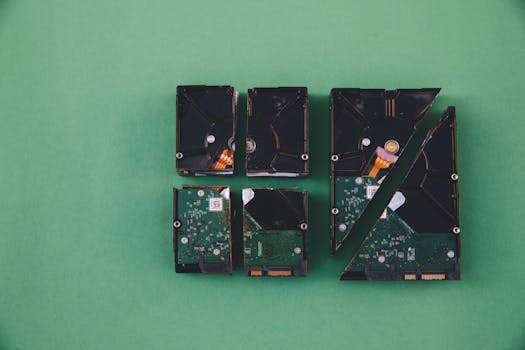 Photo: Markus Spiske / Pexels
When it comes to selecting the best external hard drive for gaming PC, the fundamental choice boils down to Solid State Drive (SSD) or Hard Disk Drive (HDD). Each technology offers distinct advantages and disadvantages, making the 'best' choice highly dependent on individual gaming habits, budget, and performance expectations.
**External Solid State Drives (SSDs)** are the undisputed champions of speed. Utilizing NAND flash memory, SSDs have no moving parts, which allows for incredibly fast read and write speeds, often ranging from 500 MB/s to over 2000 MB/s for NVMe-based external SSDs. This translates directly into significantly reduced game load times, smoother texture streaming, and faster file transfers. For games with large open worlds or frequent loading screens, an external SSD can dramatically improve the user experience, eliminating frustrating waits. Their lack of moving parts also makes them more durable and resistant to drops, a considerable advantage for portable gaming. However, this superior performance and durability come at a cost. External SSDs are generally more expensive per gigabyte than HDDs, meaning you'll pay more for less storage capacity. Common capacities for external gaming SSDs range from 500GB to 4TB, with higher capacities becoming prohibitively expensive for many budgets.
**External Hard Disk Drives (HDDs)**, on the other hand, excel in offering vast storage capacities at a much more affordable price point. You can easily find external HDDs ranging from 1TB to 18TB or even more, making them ideal for archiving massive game libraries, video recordings, or other large media files. Their mechanical nature, involving spinning platters and read/write heads, limits their speed. Typical external HDD speeds range from 100-150 MB/s, which is perfectly adequate for storing older titles, indie games, or games where load times are not a critical concern. For modern AAA games, however, using an external HDD for primary game installation might lead to noticeably longer load times compared to an SSD. HDDs are also more susceptible to damage from drops or impacts due to their delicate moving parts, making them less ideal for frequent travel unless handled with extreme care.
**Making the Decision:** If your primary goal is to store your most-played, graphically demanding games and experience the fastest possible load times, an external SSD is the clear winner. For gamers with an expansive library of titles, including many older or less-intensive games, an external HDD can serve as an excellent archive solution, while a smaller, faster internal or external SSD handles the current rotation of demanding games. Many gamers opt for a hybrid approach: an internal SSD for their operating system and a few core games, complemented by an external SSD for current favorites, and an external HDD for their vast back catalog. Consider your budget, the size of your game collection, and your tolerance for loading times when making this crucial choice between speed and capacity.
Connectivity, Capacity, and Durability: Key Factors for Gamers
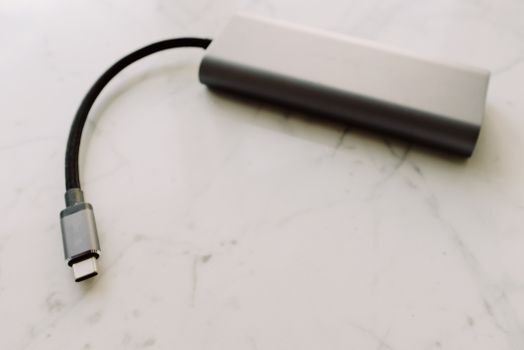 Photo: ready made / Pexels
Beyond the fundamental SSD vs. HDD debate, several other critical factors play a pivotal role in determining the best external hard drive for gaming PC. Overlooking these aspects can lead to performance bottlenecks, frustrating storage limitations, or even premature drive failure.
**Connectivity Interface:** This is perhaps the most crucial factor after drive type. A high-speed external drive is useless if your PC can't communicate with it fast enough.
* **USB 3.2 Gen 2 (USB 3.1 Gen 2 / USB 3.2 Type-C):** Offering speeds up to 10Gbps (1250 MB/s), this is the minimum standard you should aim for with an external SSD. It's widely available on modern motherboards and provides excellent performance for most external SSDs. Look for drives with a USB-C connector on the drive itself, often paired with a USB-C to USB-A cable for broader compatibility.
* **USB 3.2 Gen 2x2 (USB 3.2 Type-C):** Doubling the bandwidth to 20Gbps (2500 MB/s), this interface is ideal for ultra-fast NVMe external SSDs, allowing them to reach their full potential. However, compatibility is less widespread, so ensure your PC has a compatible port.
* **Thunderbolt 3/4:** The pinnacle of external connectivity, offering a staggering 40Gbps (5000 MB/s). Thunderbolt drives are often more expensive but deliver unparalleled speed, especially for high-end NVMe enclosures. It's common on newer Intel-based systems and some AMD platforms.
* **USB 3.0/3.1 Gen 1:** While common, its 5Gbps (625 MB/s) speed is often a bottleneck for faster SSDs, though it's perfectly fine for most external HDDs.
Always check your PC's available ports and match them with the drive's interface for optimal performance. Using a faster drive with a slower port will always be limited by the slower connection.
**Capacity Requirements:** How much storage do you truly need? This depends heavily on your gaming habits.
* **1TB-2TB:** A good starting point for external SSDs if you primarily play a handful of AAA titles and don't need to archive everything.
* **4TB-8TB:** Ideal for external HDDs, providing ample space for a large back catalog of games, including older titles and indie gems, without breaking the bank.
* **Above 8TB:** Reserved for serious collectors or those who also store large media files alongside their games.
Remember that game sizes are only increasing. Factor in future growth when making your decision. It's often better to slightly overestimate your needs than to run out of space too quickly.
**Durability and Portability:** If you plan to move your external drive frequently, durability becomes a major concern. External SSDs naturally have an advantage here due to their lack of moving parts. Many ruggedized external SSDs come with IP ratings for water and dust resistance, as well as shock protection, making them ideal for gamers on the go. For external HDDs, look for models with robust enclosures and internal shock absorption. The physical size and weight are also important for portability; smaller, lighter drives are easier to slip into a bag. Some drives even feature active cooling solutions, which can be beneficial for sustained heavy workloads, although most external drives are designed to operate efficiently without them.
Learn more about optimizing your gaming PC performance for a truly seamless experience.
Optimizing Performance and Avoiding Common Pitfalls
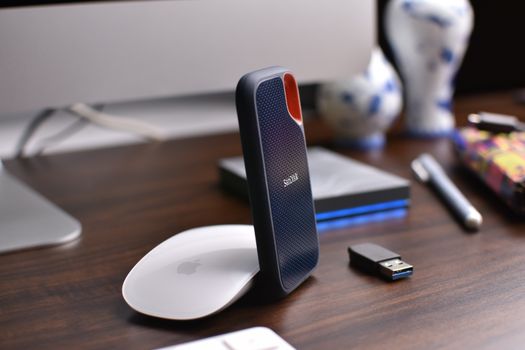 Photo: Avinash Kumar / Pexels
Acquiring the best external hard drive for gaming PC is only half the battle; optimizing its performance and avoiding common mistakes will ensure you get the most out of your investment. Even the fastest drive can underperform if not set up correctly or if certain pitfalls are ignored.
**Tips for Optimizing Performance:**
* **Use the Fastest Port:** Always connect your external drive to the fastest available USB or Thunderbolt port on your PC. For example, if your drive is USB 3.2 Gen 2, ensure it's plugged into a 10Gbps port, not a 5Gbps USB 3.0 port or, worse, a 480Mbps USB 2.0 port. Check your motherboard manual or PC specifications to identify these ports. USB-C ports don't automatically mean high speed; verify the underlying USB standard.
* **Keep Drivers Updated:** Ensure your motherboard's USB/Thunderbolt drivers are up to date. Outdated drivers can sometimes limit transfer speeds or cause compatibility issues.
* **Proper Formatting:** For Windows PCs, formatting your external drive to NTFS is generally recommended for gaming. It supports large file sizes and offers good compatibility. While exFAT can be used for cross-platform compatibility (Mac/Windows), it can sometimes be slightly slower than NTFS for large game files.
* **Disable Power Saving Features:** In Windows Power Options, you can sometimes find settings that put USB devices to sleep or reduce their power, which can lead to delays or disconnections. Adjust these settings to ensure your external drive remains active during gaming sessions.
* **Avoid USB Hubs (if possible):** While convenient, unpowered or low-quality USB hubs can sometimes introduce latency or bandwidth limitations. Connect your gaming external drive directly to a motherboard port if you encounter performance issues.
**Common Pitfalls to Avoid:**
* **Ignoring Cable Quality:** The cable connecting your external drive to your PC matters. A cheap, low-quality, or too-long USB cable can degrade performance, especially for high-speed USB 3.2 Gen 2 or Thunderbolt connections. Always use the cable provided with the drive or a certified high-speed replacement.
* **Overfilling the Drive:** While external drives offer massive storage, filling them to 90% capacity or more can sometimes degrade performance, particularly for SSDs. Leave some headroom (10-15%) for optimal operation and wear leveling.
* **Not Considering Cooling:** While most external drives are designed to handle typical loads, sustained heavy use (like long gaming sessions) with high-performance NVMe SSDs can generate heat. If you notice throttling or very hot drive enclosures, consider a drive with better passive cooling or an active cooling fan, especially if it's an NVMe-based external SSD.
* **Ignoring Physical Security:** External drives, especially HDDs, are susceptible to physical damage from drops. Always handle them with care and consider ruggedized options if portability and durability are key concerns. For static setups, ensure the drive is placed on a stable surface where it won't be easily knocked over.
* **Forgetting Backups:** An external drive, while great for gaming, is still a piece of hardware that can fail. Do not treat it as your sole backup solution for critical data. While game installations can often be re-downloaded, save files or personal media should be backed up regularly to another location or cloud service.
