✓ You can find capable laptops under $500 for everyday tasks.
✓ Chromebooks offer excellent value for web-based productivity at this price point.
✓ Look for at least 8GB RAM and an SSD for decent performance.
✓ Screen quality and battery life are crucial considerations for budget models.
How It Works
1
Define Your Needs
Before diving into options, clarify what you'll primarily use the laptop for. This helps narrow down suitable operating systems and specifications.
2
Prioritize Key Specs
Focus on RAM (8GB+ recommended), storage (SSD preferred), and processor (Intel i3/Ryzen 3 equivalent or better). These impact daily performance most significantly.
3
Compare Top Contenders
Research models from reputable brands like Acer, HP, Lenovo, and Asus. Read reviews and compare their features, pros, and cons within your budget.
4
Check for Deals and Sales
Keep an eye out for seasonal sales, student discounts, or refurbished options from trusted retailers. A little patience can yield even better value.
Unlocking Value: What to Expect from Laptops Under $500
Photo: Arjunn. la / Pexels
The quest for the best budget laptops under $500 often begins with a healthy dose of skepticism. Can a machine priced this affordably truly deliver a satisfying computing experience? The resounding answer, surprisingly, is yes – but with important caveats and realistic expectations. The sub-$500 market is fiercely competitive, leading manufacturers to pack as much value as possible into these machines. However, it's crucial to understand that compromises are inevitable. You won't find cutting-edge gaming performance, ultra-premium build materials, or revolutionary features in this price bracket. Instead, what you'll discover are highly capable machines designed for specific use cases, whether it's powering through school assignments, handling remote work tasks, browsing the web, streaming media, or managing your personal finances. The key to success here is identifying your primary needs and aligning them with the strengths of these budget-friendly devices.
When evaluating laptops in this segment, look beyond the headline price. Dive into the specifications that truly matter for everyday usability. A common misconception is that a low price automatically equates to slow performance. While some older or underpowered models might fall into this trap, modern budget laptops often come equipped with surprisingly capable processors (like Intel Celeron/Pentium, AMD Athlon, or even entry-level Intel Core i3 and AMD Ryzen 3 chips), ample RAM (8GB is becoming standard and highly recommended for smooth multitasking), and, crucially, Solid State Drives (SSDs) for storage. An SSD is a game-changer for budget laptops, dramatically improving boot times, application loading, and overall system responsiveness compared to traditional hard drives. Even a smaller SSD (e.g., 128GB or 256GB) coupled with cloud storage or an external drive can provide a much snappier experience than a larger, slower HDD. Furthermore, operating systems like Windows 11 Home and Chrome OS are well-optimized to run efficiently on more modest hardware, ensuring that even a sub-$500 laptop can feel responsive for its intended tasks. Understanding these core components is the first step in making an informed decision and realizing that true value isn't just about the price tag, but the performance and usability you get for that price. For more on choosing the right tech, explore our guide on essential tech gadgets.
Top Contenders: The Best Budget Laptops Under $500 Reviewed
Photo: Yan Krukau / Pexels
Navigating the crowded market of budget laptops can be daunting, but several models consistently stand out for offering exceptional value and performance within the sub-$500 category. These aren't just generic recommendations; they are carefully chosen based on a balance of specifications, user reviews, and brand reliability.
**Chromebooks: The Efficiency Kings.** For many users, particularly students, casual browsers, and those who primarily work within web-based applications, a Chromebook represents perhaps the best value proposition under $500. Devices like the Acer Chromebook Spin 311 or the Lenovo Chromebook Duet (often found close to or under $300) offer lightning-fast boot times, excellent security, and seamless integration with Google's ecosystem. Their lightweight Chrome OS requires less processing power and storage, allowing for impressive battery life and responsive performance even with more modest hardware. While they are not ideal for heavy local software like Photoshop or intensive gaming, for Google Docs, email, streaming, and light productivity, they are often superior to similarly priced Windows laptops. Their portability and robust build quality for their price point also make them excellent companions for on-the-go use.
**Windows Laptops: Versatility on a Budget.** If you absolutely need Windows for specific software compatibility, several manufacturers offer compelling options. The Acer Aspire 3 and Acer Aspia 5 (entry-level configurations) often fall within this price range, providing a solid, no-frills computing experience. Look for models with at least an Intel Core i3 or AMD Ryzen 3 processor, 8GB of RAM, and a 256GB SSD. These specifications will comfortably handle multitasking, word processing, spreadsheets, web browsing, and video conferencing. HP's Pavilion series, particularly the lower-end HP 15 or 14 models, also frequently offer configurations that hit the sub-$500 mark. They typically provide decent keyboards, respectable displays, and reliable performance for daily tasks. Similarly, Lenovo's IdeaPad series, specifically the IdeaPad 3 or IdeaPad 1, are strong contenders, known for their sturdy build and often comfortable typing experience. When comparing these Windows machines, pay close attention to the screen resolution (1080p is ideal, avoid 720p if possible), port selection, and reported battery life, as these can vary significantly even within the same model line. While you won't get a premium feel, these laptops prioritize functionality and provide a dependable platform for a wide range of everyday computing needs.
Optimizing Performance: Getting the Most from Your Budget Laptop
Photo: Mediahooch Pixels / Pexels
Purchasing one of the best budget laptops under $500 is just the first step; optimizing its performance ensures you get the maximum value and longevity from your investment. Even the most affordable machines can feel snappy and efficient with a few smart strategies. The operating system, whether it's Windows or Chrome OS, plays a significant role in how well your laptop performs. Regularly updating your OS is paramount, as these updates often include performance enhancements, security patches, and bug fixes that can noticeably improve your system's responsiveness. For Windows users, make sure to keep your drivers updated, especially for graphics and chipset, directly from the manufacturer's website if possible. Over time, your laptop can accumulate unnecessary files and programs that hog resources. Regularly uninstalling unused software, clearing temporary files, and emptying your recycle bin can free up valuable storage space and RAM. Windows has built-in tools like Disk Cleanup, and there are many reputable third-party tools that can help with this maintenance.
Another critical aspect is managing your startup programs. Many applications are configured to launch automatically when your laptop boots up, consuming precious RAM and CPU cycles in the background. Accessing the Task Manager (Ctrl+Shift+Esc on Windows) and navigating to the 'Startup' tab allows you to disable unnecessary programs from launching with your system, significantly speeding up boot times and improving overall performance. Similarly, keeping your web browser lean is essential. Too many open tabs, extensions, and add-ons can quickly consume RAM, especially on systems with 8GB or less. Consider using a lightweight browser or being diligent about closing tabs you're not actively using. For those who frequently work with large files or require more storage than their budget laptop offers, external hard drives or cloud storage services (like Google Drive, Dropbox, or OneDrive) are excellent, cost-effective solutions. This prevents your internal SSD from becoming full, which can slow down the system. Finally, investing in a good antivirus program is not just about security; it also prevents malware from slowing down your system. While Windows Defender is capable, a lightweight third-party solution can offer enhanced protection without bogging down your machine. By adopting these practices, your budget laptop will not only perform better but will also provide a more satisfying and productive user experience for years to come. For more tech maintenance tips, check out our guide on maintaining your electronics.
Common Pitfalls and Smart Choices When Buying Under $500
Photo: Pavel Danilyuk / Pexels
When searching for the best budget laptops under $500, it's easy to fall into common traps that can lead to buyer's remorse. Being aware of these pitfalls and knowing how to make smart choices will ensure your investment is worthwhile.
**Mistakes to Avoid:**
* **Prioritizing looks over specs:** A sleek design might catch your eye, but if it comes with an outdated processor, insufficient RAM (4GB or less), or a slow HDD, you'll regret it. Performance trumps aesthetics in this price bracket.
* **Ignoring the operating system:** Assuming all laptops run Windows is a mistake. Chromebooks are fantastic for web-centric tasks but won't run traditional Windows software. Ensure the OS matches your software needs.
* **Skimping on RAM and storage:** 4GB RAM and a 64GB eMMC storage might seem cheap, but they will lead to a frustratingly slow experience. Aim for 8GB RAM and an SSD (128GB minimum, 256GB preferred).
* **Overlooking screen quality:** Many budget laptops feature low-resolution (720p) or poor-quality TN panels with limited viewing angles. Look for Full HD (1080p) IPS displays for a much better visual experience, even if it means a slight compromise elsewhere.
* **Neglecting battery life:** A powerful-on-paper laptop is useless if it dies in a few hours. Check reviews for real-world battery performance, especially if portability is a key factor for you.
* **Buying used or refurbished from unreliable sources:** While refurbished can offer great value, always purchase from reputable retailers with good return policies and warranties.
**Smart Choices to Make:**
* **Consider a Chromebook:** If your workflow is primarily web-based, a Chromebook offers unparalleled speed, security, and battery life for the money.
* **Focus on core components:** A good processor (Intel i3/Ryzen 3 equivalent or better), 8GB RAM, and an SSD are the holy trinity for a responsive budget laptop.
* **Read user reviews:** Real-world experiences offer invaluable insights into a laptop's performance, battery life, and common issues.
* **Check for sales:** Retailers frequently offer discounts on budget laptops. Patience can save you a significant amount.
* **Assess your actual needs:** Don't buy more laptop than you need. If you only browse, email, and stream, a simpler, cheaper model will suffice. If you need more power for light photo editing or complex spreadsheets, allocate your budget to those specs.
* **Look for reputable brands:** Acer, HP, Lenovo, and Asus consistently offer reliable budget options with decent support. Stick to established names to avoid potential headaches.
By carefully navigating these considerations, you can confidently select one of the best budget laptops under $500 that perfectly aligns with your expectations and delivers a satisfying computing experience.
Comparison
Feature
Acer Aspire 3 (i3/8GB/256GB)
Lenovo IdeaPad 3 (Ryzen 3/8GB/256GB)
Acer Chromebook Spin 311
Operating System
Windows 11 Home
Windows 11 Home
Chrome OS
Processor
Intel Core i3
AMD Ryzen 3
Intel Celeron/MediaTek
RAM
8GB
8GB
4GB
Storage
256GB SSD
256GB SSD
64GB eMMC
Display
15.6" FHD (1080p)
15.6" FHD (1080p)
11.6" HD Touchscreen
Best For
General Productivity
General Productivity
Students/Web Browsing
Portability
Good
Good
Excellent
Battery Life
✓
✓
✓
What Our Readers Say
5★★★★★
"I was skeptical about finding a decent laptop under $500, but my Acer Aspire 3 has been a lifesaver for my online classes. It handles Zoom, documents, and browsing without a hitch. Definitely one of the best budget laptops under $500 I could ask for!"
Sarah J.Austin, TX
5★★★★★
"The Lenovo IdeaPad 3 with the Ryzen 3 processor is surprisingly fast for the price. I use it for my small business's accounting and email, and it boots up quickly thanks to the SSD. Fantastic value for anyone needing a solid work machine."
Mark D.Miami, FL
5★★★★★
"As a college student, the Acer Chromebook Spin 311 is perfect. It's lightweight, the battery lasts all day, and I can do all my assignments in Google Docs. It’s easily one of the best budget laptops under $500 for students."
Emily R.Seattle, WA
4★★★★☆
"My HP 15 has been a reliable daily driver. While the screen isn't the brightest, for under $500, the performance with 8GB RAM and an SSD is more than adequate for my general home use and streaming. It's a solid choice."
David L.Denver, CO
5★★★★★
"I needed a cheap laptop for my elderly parents for video calls and email. The Chromebook was the perfect fit – simple to use, secure, and fast. They picked it up in minutes. Truly a great option among the best budget laptops under $500."
Jessica M.Chicago, IL
Frequently Asked Questions
What is the most important spec for the best budget laptops under $500?
For laptops under $500, the most important specifications are having at least 8GB of RAM and a Solid State Drive (SSD). These two components will significantly impact the laptop's speed and responsiveness for everyday tasks far more than a slightly better processor or larger screen.
Will a laptop under $500 be slow or unreliable?
Not necessarily. While you won't get top-tier performance, many laptops under $500 are perfectly capable and reliable for common tasks like web browsing, word processing, streaming, and video calls. Choosing models with an SSD and sufficient RAM (8GB) will prevent most 'slowness' issues.
How do I choose between a Windows laptop and a Chromebook in this price range?
If your primary work is web-based (Google Docs, email, streaming) and you value speed, simplicity, and security, a Chromebook is an excellent choice. If you need to run specific desktop software like Microsoft Office (local install), Photoshop, or certain games, a Windows laptop is necessary.
Can I get a gaming laptop for under $500?
Generally, no. Dedicated gaming laptops with discrete graphics cards are well above the $500 price point. While some budget laptops can handle very light, older, or indie games, they are not designed for modern AAA gaming. Your expectations for gaming should be very low in this category.
How do these budget laptops compare to refurbished models?
New budget laptops under $500 offer a fresh warranty and the latest entry-level components. Refurbished models, often slightly above this price, might offer older, higher-tier components (e.g., an older i5) for similar money. Refurbished can be great value, but ensure you buy from a reputable seller with a good warranty.
Who should consider buying the best budget laptops under $500?
These laptops are ideal for students, casual home users, seniors, anyone needing a secondary travel device, or individuals with basic productivity needs. They are perfect for web browsing, email, word processing, video conferencing, and media consumption without a significant financial outlay.
Are budget laptops safe regarding data security?
Yes, budget laptops are generally as secure as any other computer, provided you practice good online habits, keep your operating system and software updated, and use reputable antivirus software. Chromebooks, in particular, are known for their robust security features.
What future trends might impact the best budget laptops under $500?
Expect to see more efficient processors, better integrated graphics, and continued improvements in battery life. The rise of cloud-based computing and AI-powered features will further enhance the capabilities of budget-friendly Chromebooks and Windows laptops, making them even more powerful for everyday tasks.
Don't let a tight budget deter you from owning a capable and reliable machine. With our comprehensive guide, you're now equipped to discover the best budget laptops under $500 that perfectly match your needs and provide excellent value for your hard-earned money. Start exploring today and upgrade your digital life without overspending.

 Photo: Yan Krukau / Pexels
 Photo: Arjunn. la / Pexels
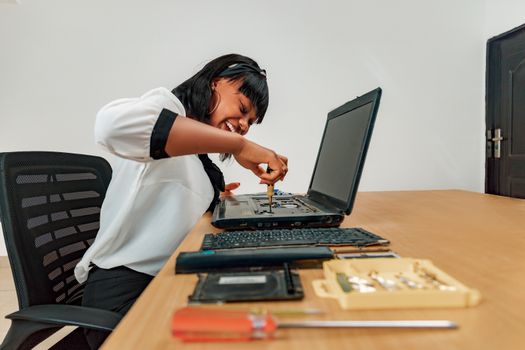 Photo: Mediahooch Pixels / Pexels
 Photo: Pavel Danilyuk / Pexels