Best 4K Monitors for Graphic Design: Your Ultimate Guide
best 4k monitors for graphic design

Best 4K Monitors for Graphic Design: Your Ultimate Guide

Unlock superior visual fidelity and color precision essential for professional graphic designers with our expert monitor selections.

Find Your Perfect Display

Key Takeaways

  • ✓ 4K resolution offers four times the pixels of Full HD, providing incredible detail and workspace.
  • ✓ Color accuracy, specifically Delta E values and wide color gamut coverage (sRGB, Adobe RGB, DCI-P3), is paramount for graphic design.
  • ✓ Panel technology (IPS) is crucial for consistent colors and wide viewing angles.
  • ✓ Ergonomics and connectivity options significantly impact workflow and user comfort.

How It Works

1
Define Your Needs

Assess your specific graphic design tasks, software requirements, and budget to narrow down monitor features. Consider if you prioritize resolution, color gamut, or specific panel sizes.

2
Prioritize Key Specifications

Focus on 4K resolution (3840x2160), IPS panel type, high color accuracy (low Delta E), and extensive color space coverage (e.g., 99% Adobe RGB, 95% DCI-P3). Look for factory calibration reports.

3
Evaluate Ergonomics & Connectivity

Ensure the monitor offers height adjustment, tilt, swivel, and pivot for comfortable long-term use. Check for essential ports like USB-C (with power delivery), HDMI 2.0+, and DisplayPort 1.4+.

4
Read Reviews & Compare Models

Consult professional reviews and user feedback to understand real-world performance and potential quirks. Compare multiple models side-by-side based on your prioritized features and budget.

Why 4K Resolution is a Game-Changer for Graphic Design Professionals

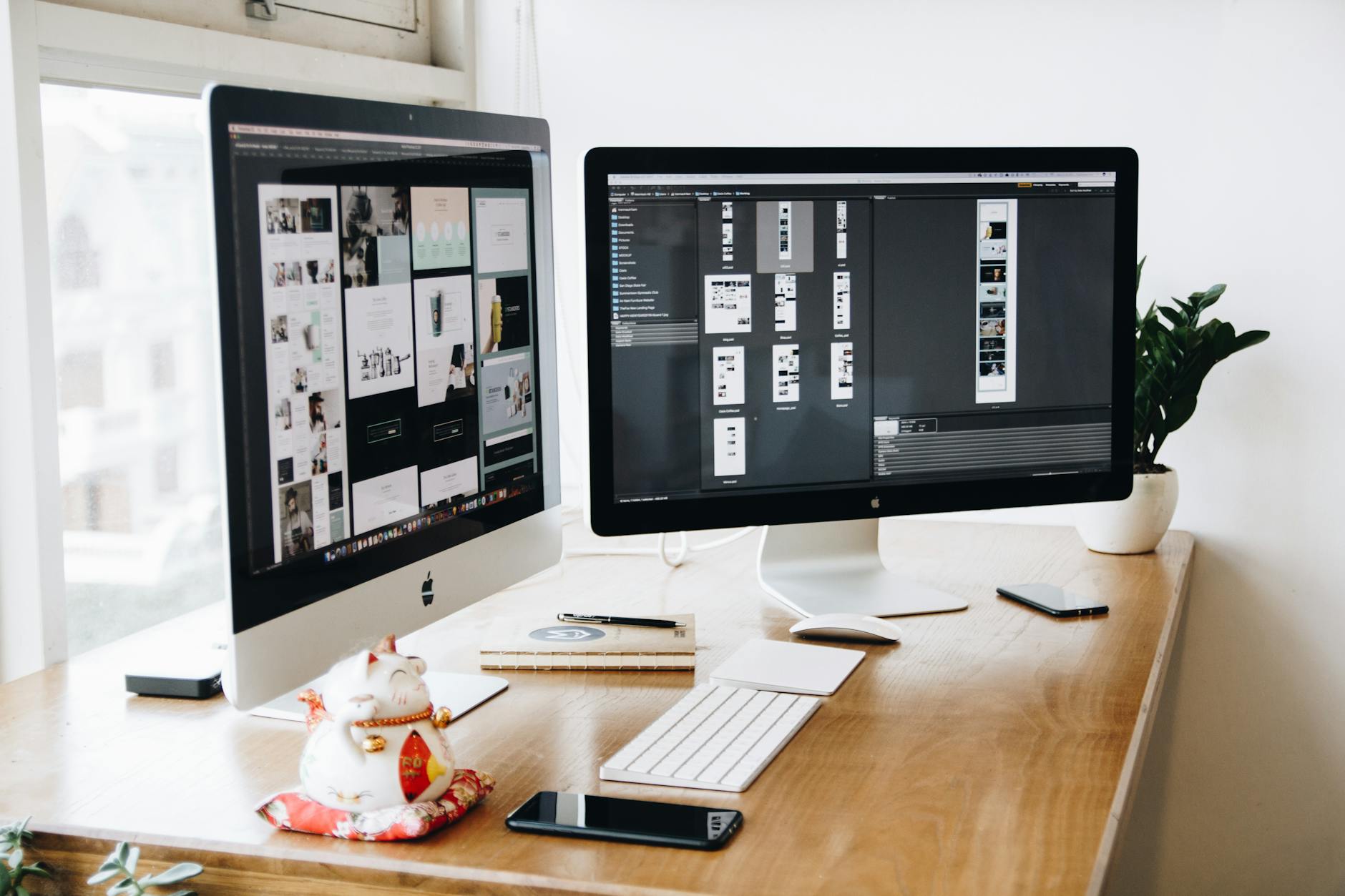
A stylish modern workspace with dual monitors displaying design software in a dimly lit room. Photo: Josh Sorenson / Pexels
In the demanding world of graphic design, where every pixel matters and visual fidelity is paramount, the transition to 4K resolution isn't just an upgrade—it's a fundamental shift in how designers perceive and interact with their work. A 4K monitor, boasting a resolution of 3840 x 2160 pixels, offers four times the pixel count of a traditional Full HD (1920 x 1080) display. This exponential increase in pixel density translates directly into several critical advantages for graphic designers, fundamentally transforming their workflow and output quality. Firstly, the sheer amount of screen real estate provided by a 4K display is a revelation. Imagine working on a complex design project with multiple palettes, toolbars, and open windows. On a lower resolution monitor, this often means constant resizing, minimizing, and shifting elements, breaking your creative flow. With 4K, you gain an expansive digital canvas that allows you to view your entire design at a reasonable scale while simultaneously having ample space for all your essential tools and reference materials. This reduces visual clutter and context switching, fostering a more fluid and efficient design process. You can see more of your artboard, more layers, and more details without excessive zooming, leading to a clearer overall understanding of your composition. Secondly, the enhanced detail and sharpness offered by 4K resolution are indispensable for tasks requiring meticulous precision. When you're designing logos, editing high-resolution photographs, or crafting intricate illustrations, the ability to discern fine lines, subtle gradients, and minute imperfections makes all the difference. Text appears crisper, edges are smoother, and photographic details are rendered with astonishing clarity. This level of detail is not merely for aesthetic pleasure; it directly impacts the quality of your final output, ensuring that your designs are polished and professional when they go to print or digital publication. For web designers, this means accurately previewing how high-DPI assets will appear to users with retina displays. Thirdly, a 4K monitor allows for a more accurate representation of print-ready designs. When you're designing for print, you're often working at resolutions far exceeding what a Full HD monitor can display natively. A 4K screen brings you much closer to a 1:1 pixel representation of your print document, allowing you to catch potential issues like pixelation or artifacting long before they become costly mistakes on press. This 'what you see is what you get' (WYSIWYG) experience is invaluable for pre-press checks. Furthermore, for those involved in video editing or motion graphics, a 4K display is essential for working with UHD footage natively, eliminating the need to constantly scale down previews or rely on external monitors. Finally, the future of content creation is increasingly high-resolution. Investing in a 4K monitor future-proofs your setup, ensuring you're equipped to handle emerging standards and client demands for stunning, high-fidelity visuals. It’s not just about seeing more; it's about seeing it better, with the precision and clarity that professional graphic design truly requires. The increased workspace, unparalleled detail, and accurate representation of high-resolution assets make a 4K monitor an indispensable tool for any serious graphic designer looking to elevate their craft. This investment significantly impacts productivity and the overall quality of creative work, making it a cornerstone of a modern design studio. For more on optimizing your setup, explore essential graphic design accessories.

Critical Color Accuracy: The Cornerstone of Professional Graphic Design Displays
Close-up of a colorful RGB cooling fan in a gaming PC setup. Photo: Official Glacier / Pexels
Beyond the sheer pixel count, the most crucial specification for any monitor used in graphic design is its color accuracy. For creatives, a monitor isn't just a display; it's a window into the true colors of their work. Inaccurate colors can lead to disastrous outcomes, from client dissatisfaction to costly reprints. Therefore, understanding and prioritizing color accuracy is paramount when selecting the best 4K monitors for graphic design. At the heart of color accuracy lies the Delta E (ΔE) value. This metric quantifies the difference between a displayed color and its true, reference color. A lower Delta E value signifies greater accuracy. For professional graphic design, a Delta E of less than 2 is generally considered excellent, with values below 1 being near-perfect and indistinguishable to the human eye. Many professional-grade monitors come factory-calibrated with a report guaranteeing a low Delta E, providing peace of mind right out of the box. However, even with factory calibration, regular hardware calibration with a colorimeter is highly recommended to maintain consistent accuracy over the monitor's lifespan and adapt to environmental lighting changes. Another vital aspect of color accuracy is color gamut coverage. This refers to the range of colors a monitor can reproduce. Different color spaces are relevant to different design applications. The most common include: sRGB: This is the standard color space for web content, digital photography, and most consumer electronics. Monitors should ideally cover 100% of the sRGB gamut. Adobe RGB: A wider color space than sRGB, Adobe RGB is critical for print designers and photographers, as it encompasses a broader range of cyan and green hues often found in print materials. Monitors with 95% or more Adobe RGB coverage are highly sought after in these fields. DCI-P3: Gaining prominence, especially with HDR content and video production, DCI-P3 offers an even wider gamut, particularly in reds and greens, making it valuable for designers working in cinema and high-fidelity digital media. For graphic designers, a monitor that can accurately reproduce colors across these critical gamuts ensures that what you see on screen closely matches the final output, whether it's a website, a magazine, or a video. The panel technology also plays a significant role in color accuracy. In-Plane Switching (IPS) panels are overwhelmingly preferred for graphic design due to their superior color reproduction, excellent viewing angles, and consistent color shifting. Unlike VA or TN panels, IPS panels maintain color integrity even when viewed from oblique angles, which is crucial for collaborative work or when reviewing designs from different positions. High contrast ratios are also important, as they allow for better differentiation between subtle shades and provide deeper blacks and brighter whites, contributing to a more lifelike image. While not directly a color accuracy metric, a good contrast ratio enhances the perceived quality and depth of colors. In summary, when evaluating 4K monitors for graphic design, look beyond just the resolution. Prioritize models with a low Delta E, comprehensive coverage of sRGB, Adobe RGB, and DCI-P3 color spaces, and an IPS panel. These features collectively ensure that your creative vision is translated onto the screen with the utmost fidelity, making your designs consistently accurate and impactful.

Beyond the Pixels: Ergonomics, Connectivity, and Essential Features for Designers
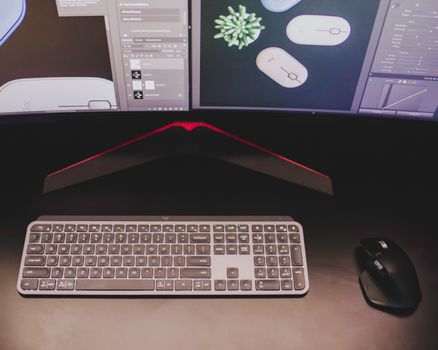
Close-up of a stylish workspace featuring a keyboard and mouse with dual monitors displaying design software. Photo: Matheus Bertelli / Pexels
While resolution and color accuracy are undeniably the titans of monitor specifications for graphic designers, a truly superior 4K display integrates these with thoughtful ergonomics, robust connectivity, and a suite of designer-centric features. Overlooking these elements can lead to discomfort, workflow bottlenecks, and ultimately, hinder productivity. A monitor is an extension of your workspace, and its adjustability is paramount for long hours of creative work. Look for monitors that offer comprehensive ergonomic adjustments: height adjustment allows you to position the screen at eye level, reducing neck and shoulder strain; tilt enables you to find the perfect viewing angle to minimize glare and reflections; swivel facilitates easy sharing of your screen with colleagues; and pivot (or portrait mode) is incredibly useful for reviewing long documents, designing posters, or coding, offering a distinct advantage in specific workflows. A stable stand is also crucial to prevent wobbling during intense design sessions. Connectivity options are another non-negotiable. Modern graphic design setups often involve multiple devices and peripherals, and your monitor should act as a central hub. USB-C with Power Delivery (PD) is a standout feature, allowing you to connect your laptop, transfer data, and charge it simultaneously with a single cable—decluttering your desk and simplifying your setup. Ensure the monitor has sufficient HDMI (2.0 or higher for 4K at 60Hz) and DisplayPort (1.4 or higher) inputs to accommodate your computer and potentially other sources. Additional USB-A ports can serve as a convenient hub for external hard drives, drawing tablets, or calibrators. Some monitors even include an Ethernet port, offering a stable wired internet connection for laptops connected via USB-C. Beyond physical connections, certain display technologies enhance the user experience. HDR (High Dynamic Range) support, particularly VESA DisplayHDR 400 or higher, can be beneficial for designers working with HDR content, offering greater contrast and a broader range of colors. However, for most print and web design, accurate SDR performance is more critical than HDR capabilities. Uniformity compensation is another premium feature found in high-end monitors. This technology ensures consistent brightness and color across the entire screen, preventing noticeable shifts in luminance or hue from the center to the edges—a common issue with larger displays. This is critical for designers who need their work to appear consistent across the entire canvas. KVM (Keyboard, Video, Mouse) switches built into monitors are a boon for designers who use multiple computers (e.g., a personal desktop and a work laptop). A KVM switch allows you to control both computers with a single keyboard and mouse, switching between them seamlessly using the monitor itself. This eliminates the need for external KVM boxes and further streamlines your workspace. Lastly, consider features like a built-in hood, which helps to block ambient light and reduce glare, enhancing color perception, especially in brightly lit environments. While often an optional accessory, some premium monitors include them. Investing in a monitor that thoughtfully integrates these ergonomic, connectivity, and feature-rich aspects ensures that your design workflow is not only visually precise but also comfortable, efficient, and adaptable to your evolving creative needs. For a deeper dive into optimizing your workspace, check out our guide on setting up a productive design studio.

Avoiding Common Pitfalls: Tips for Choosing Your Next 4K Graphic Design Monitor
Close-up of vibrant digital art in red, green, and blue displayed on a monitor screen. Photo: Egor Komarov / Pexels
Selecting the best 4K monitor for graphic design can be a significant investment, and making an informed decision is crucial to avoid common pitfalls that could hamper your productivity or result in buyer's remorse. Here are essential tips to guide you through the selection process: * **Don't Mistake '4K' for 'Professional-Grade':** Not all 4K monitors are created equal for graphic design. Many budget 4K displays prioritize resolution over color accuracy, panel uniformity, and build quality. A cheap 4K monitor might offer crisp text, but if its color gamut coverage is poor, its Delta E is high, or it suffers from significant backlight bleed, it's unsuitable for professional color-critical work. Always prioritize color specifications (sRGB, Adobe RGB, DCI-P3 coverage, Delta E) over just the pixel count. * **Beware of Glossy vs. Matte Screens:** While glossy screens can offer punchier colors and deeper blacks, they are highly prone to reflections, which can be a significant distraction and impact color perception in a brightly lit studio. For professional graphic design, a matte or anti-glare finish is almost always preferred to minimize reflections and maintain consistent viewing conditions. Some high-end displays offer a subtle semi-gloss finish that balances vibrancy with glare reduction. * **Don't Underestimate Panel Uniformity:** Even a monitor with excellent color accuracy can be problematic if its brightness and color shift significantly across the screen. This is known as panel uniformity. Cheaper monitors often have noticeable variations, meaning a color at the center of your screen might look different at the edges. For large canvases, this is unacceptable. Look for monitors that explicitly mention uniformity compensation or boast excellent reviews regarding screen consistency. * **Consider Your Graphics Card:** A 4K monitor requires a powerful graphics card to drive it smoothly, especially if you're running demanding design software or multiple displays. Ensure your current or planned GPU can comfortably handle 4K resolution at 60Hz. Older or integrated graphics cards might struggle, leading to laggy performance or inability to achieve the full refresh rate. * **Factor in Calibration:** While many professional monitors come factory-calibrated, calibration drifts over time. Relying solely on factory calibration without investing in a hardware colorimeter for periodic re-calibration is a mistake. A colorimeter ensures your monitor consistently displays accurate colors, adapting to environmental changes and aging components. * **Screen Size Matters for 4K:** While 4K on a 24-inch monitor offers incredible pixel density, some designers find the interface elements too small, even with scaling. For a comfortable 4K experience without excessive scaling, many designers prefer 27-inch, 32-inch, or even larger displays. Experiment with different sizes if possible to find what works best for your eyes and workflow. * **Check Refresh Rate:** For graphic design, 60Hz is perfectly adequate. Don't pay extra for higher refresh rates (like 120Hz or 144Hz) unless you also plan on doing competitive gaming. Focus your budget on color accuracy and panel quality instead. * **Read Professional Reviews:** Don't just rely on user reviews. Seek out in-depth technical reviews from reputable tech publications that test color accuracy, uniformity, input lag, and other critical metrics using specialized equipment. These reviews offer objective data that user reviews often lack. By keeping these common pitfalls in mind, you can navigate the vast market of 4K monitors and confidently choose a display that truly meets the rigorous demands of professional graphic design.

Comparison

FeatureBest Option (e.g., Dell U3223QE)Alternative 1 (e.g., BenQ SW271C)Alternative 2 (e.g., LG Ultrafine 32UN880-B)
Screen Size31.5 inches27 inches31.5 inches
Resolution3840x2160 (4K)3840x2160 (4K)3840x2160 (4K)
Panel TypeIPS BlackIPSIPS
Color Gamut98% DCI-P3, 100% sRGB99% Adobe RGB, 97% DCI-P395% DCI-P3, 99% sRGB
Delta E<2<1 (factory calibrated)<2 (factory calibrated)
ConnectivityUSB-C (90W PD), DP, HDMI, USB HubUSB-C (60W PD), DP, HDMI, USB HubUSB-C (60W PD), DP, HDMI, USB Hub, Ergo Stand
HDR SupportVESA DisplayHDR 400HDR10HDR10
ErgonomicsFull AdjustmentsFull Adjustments, HoodErgo Stand (Clamp/Grommet)
Price Range (USD)$800-$1100$1000-$1300$600-$800

What Readers Say

"Upgrading to a 4K monitor for graphic design was the best decision I've made for my studio. The clarity and color accuracy are phenomenal, allowing me to see every detail in my illustrations before print."

Sarah J. · Austin, TX

"As a web designer, the extra screen real estate on my new 4K display is a game-changer. I can have my code editor, browser, and design software open simultaneously without feeling cramped."

Mark D. · Seattle, WA

"My BenQ 4K monitor with its 99% Adobe RGB coverage has completely transformed my photography editing. My prints now perfectly match what I see on screen, eliminating costly color corrections."

Emily R. · New York, NY

"While the 4K resolution is fantastic, I wish my monitor had a few more USB-C ports for all my peripherals. Still, the image quality for video editing is superb and well worth the investment."

David L. · Los Angeles, CA

"I design large-format prints, and my new Dell 4K monitor's uniformity compensation is a godsend. No more worrying about color shifts from the center to the edges of my designs."

Jessica M. · Chicago, IL

Frequently Asked Questions

What is the most important feature for a 4K monitor in graphic design?

For graphic design, color accuracy is arguably the most important feature, even more so than just 4K resolution alone. Look for monitors with low Delta E values (preferably below 2), extensive coverage of professional color spaces like Adobe RGB and DCI-P3, and an IPS panel for consistent viewing angles and color reproduction. These factors ensure your designs appear as intended across different mediums.

Do I really need a 4K monitor for graphic design, or is QHD enough?

While QHD (2560x1440) monitors are excellent, a 4K monitor offers a significant advantage in pixel density and screen real estate. This translates to sharper details, more workspace for palettes and tools, and a closer representation of print-ready designs, making it highly beneficial for professional graphic designers who demand precision and efficiency in their workflow.

How often should I calibrate my graphic design monitor?

For professional graphic design, it's recommended to calibrate your monitor regularly using a hardware colorimeter. Depending on your usage and the monitor's stability, calibrating every 2-4 weeks is a good practice to ensure consistent color accuracy over time. Environmental factors like ambient light can also influence calibration needs.

Are expensive 4K monitors truly better for graphic design, or can I save money?

While there are budget-friendly 4K monitors, expensive models often offer superior color accuracy (lower Delta E), wider color gamut coverage, better panel uniformity, advanced ergonomics, and robust connectivity like USB-C with power delivery. These premium features directly impact the quality and efficiency of professional graphic design work, making the investment worthwhile for serious designers.

How does an IPS panel compare to VA or TN for graphic design?

IPS (In-Plane Switching) panels are vastly superior for graphic design compared to VA (Vertical Alignment) or TN (Twisted Nematic) panels. IPS offers the best color accuracy, widest viewing angles, and minimal color shift, ensuring consistent visual fidelity across the screen and from different perspectives. VA panels have better contrast but poorer viewing angles, while TN panels are fast but have the worst color and viewing angle performance.

Who should prioritize a 4K monitor with Adobe RGB coverage?

Designers and photographers primarily working on projects destined for print, professional photography, or high-end graphic design that requires a broader color spectrum than sRGB should prioritize a 4K monitor with high Adobe RGB coverage (95% or more). This ensures that a wider range of colors, especially vibrant greens and blues, can be accurately displayed and managed.

Is screen size important for 4K graphic design monitors?

Yes, screen size is crucial. While 4K on smaller monitors (e.g., 24-inch) offers incredible pixel density, the interface elements can become too small even with scaling, potentially leading to eye strain. Many graphic designers find 27-inch to 32-inch 4K monitors to be the sweet spot, providing ample screen real estate for multitasking without requiring excessive scaling, thus optimizing workspace and comfort.

What future trends should I consider when buying a 4K monitor for graphic design?

Future trends include wider adoption of DCI-P3 for HDR content and video, more monitors integrating advanced USB-C functionality (higher power delivery, built-in KVM), and continued improvements in panel uniformity and factory calibration. Keep an eye on evolving display technologies like Mini-LED for even better local dimming and contrast, though these are currently at a higher price point.

Choosing the best 4K monitor for graphic design is an investment in your craft and your career. By prioritizing color accuracy, resolution, ergonomics, and connectivity, you can unlock a new level of precision and efficiency in your creative workflow. Elevate your designs and see your vision come to life with unparalleled clarity and fidelity.

Topics: best 4k monitors for graphic designgraphic design displaycolor accurate monitorUHD monitor designprofessional monitor graphic design
Leo List

IE Escorts NO Escorts US Escorts NZ Escorts AU Escorts
Brampton weed
Adultwork EstrelaBet Vai de Bet R7 Bet Betão Galera Bet Rainbet Bet9ja Shop SportyBet BetKing Sisal Loto Foot Hollywoodbets YesPlay Odibets RushBet Jugabet BetWarrior BetCity MSport betPawa Fortebet